Full e-commerce module

Create your online shop. Keep every sale.

Sell online. Keep it all.

Your shop, catalogue and orders managed from one dashboard. Money goes straight into your account, without a cent in commission.

Google 5.0/5

Create your shop, add your products and take your first orders this week: your sales stay yours.

Ideal for selling

Sell online, keep it all

Your shop lives on your own website: catalogue, basket, card and local payment methods, order tracking. Your customers pay, the money goes straight to your account, and your project manager supports you at launch.

  • Secure payment by card and local payment methods

  • Stock kept up to date online and at the counter

  • Promo codes and free delivery included

0 %

Commission on your sales

+38 %

In average order value

Keep 100 % of your sales, without extra paid apps

Selling online quickly becomes complicated: a monthly subscription, paid apps piling up and a platform taking a percentage of every order. On a marketplace, that can be up to a quarter of your revenue.

With Eazyclick, your shop lives on your own website: catalogue, basket, card and local payment methods, order tracking. Your customers pay, the money goes to your account, and we take nothing.

The result: 0 % sales commission, always, and a 38 % higher average order value with free delivery. Allow an average of three days to launch your shop.

Who is Full e-commerce for?

  • Retailers selling online
  • Craftspeople and makers
  • Direct-to-consumer brands
  • Sellers who refuse to pay commission
Book a free call

What your online shop actually does

A catalogue you control

Add products in minutes: photos, descriptions, prices, variants and stock. Stock updates automatically with every sale, online and at the counter. One product record, one place, no spreadsheets or recounting.

  • Complete product page
    Photos, description, price, size and colour variants, available stock
  • Synchronised stock
    Stock updates automatically with every sale, including at the counter
  • Product highlights
    Feature a product and create sales with crossed-out prices
  • One screen
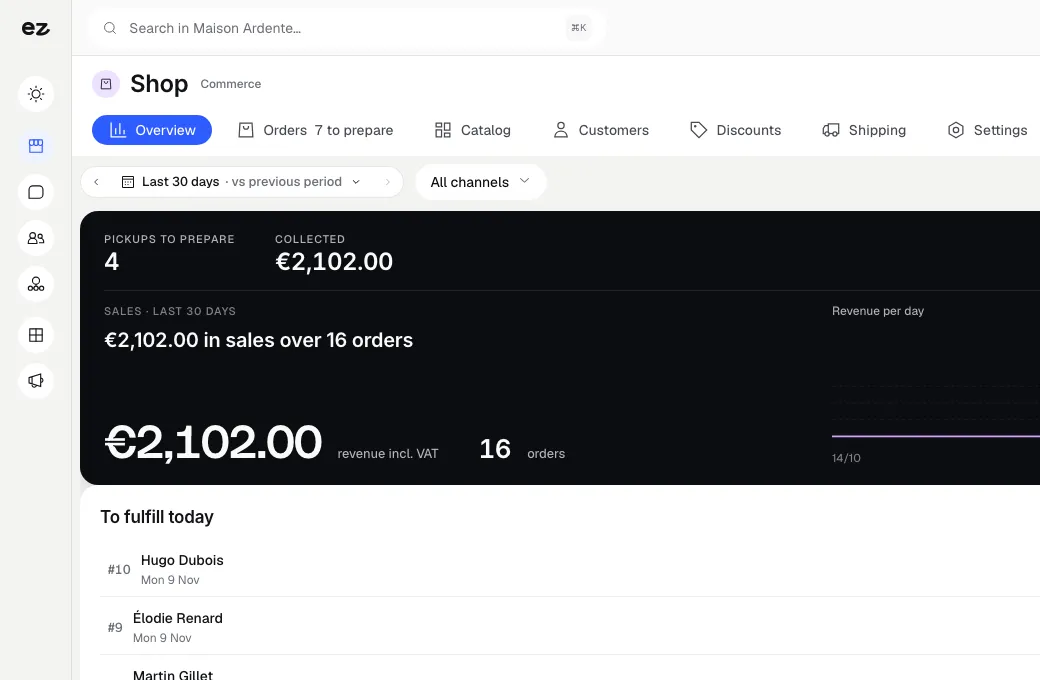
    Manage categories, promotions and product pages from the same dashboard

Orders, from basket to dispatch

Every order arrives in your dashboard with its payment status, contents and address. Dispatch, refund and track the whole process without extra software. Customers receive confirmations and tracking under your name.

  • Complete overview
    Payment status, order contents and customer address
  • Dispatch and tracking
    Mark the order as dispatched and add its tracking number
  • Returns and refunds
    Manage refunds and returns from the same screen
  • Emails under your name
    Customers receive order confirmation and tracking under your name

Promotions and free delivery, without extra apps

Create promo codes, timed campaigns with countdowns and a free delivery threshold. The progress bar appears automatically in the basket and increases average order value. Everything is included in your subscription.

  • Promo codes
    Create discount codes and apply them directly on your website
  • Timed campaigns
    Schedule a campaign with its date and countdown
  • Free delivery
    Set a threshold and the progress bar appears automatically in the basket
  • All included
    What others charge for as separate apps is part of your subscription

Your supplier catalogue, imported by you

You import your supplier's file yourself, as CSV or XLSX. You map each column to a field, a variant option, a photo or an attribute, then a dry run shows line by line what will be created, without writing anything. Then you apply the import.

  • CSV or XLSX
    Each column of the file mapped to the right field
  • Dry run first
    The result line by line, before anything is saved
  • Variants and photos
    Photos, attributes, variants and purchase prices come in together
  • Ambiguous amounts rejected
    An unreadable price is flagged instead of guessed

Run and connect your shop

Your online shop goes further than the catalogue. It produces dated sales reports, handles sale prices and prices reserved for certain customers, keeps stock by shop, sells to businesses with a verified VAT number and opens up to your other software through an API and webhooks.

Sales reports that answer your questions

Choose your dates and read your revenue excluding and including VAT, compared with the same period last year. Sales break down by category, brand, shop and staff member, with margin and share of revenue. Top sellers and slow-moving products appear with the value of their stock at cost.

  • Any dates, year on year
    Compare a period with the same period the year before
  • By category, brand, shop and staff
    Revenue, margin and share of total for each line
  • Top sellers and slow movers
    Best sellers by SKU and products gathering dust, with their stock value
  • CSV export
    Every table exports, for your accountant for instance

Margin uses each variant's current purchase cost, not the cost on the day of sale. Website traffic is covered by Analytics Pro.

Sale prices and price lists by customer group

Create a 'Sale' list or a 'Rate' list with fixed prices, by variant, category or brand. You can reserve a list for a customer group, such as resellers or trade customers. With the Point of sale module, sale prices also apply at the till in your shops.

  • Sale prices
    A struck-through price by variant, category or brand
  • Fixed rates
    A fixed price for a selection of products
  • Customer groups
    A list reserved for one group, such as trade customers
  • Same price at the till
    The till charges the sale price

Stock by shop

If you have several shops or a warehouse, each location has its own stock. You adjust quantities location by location, and your website's product page shows availability in each shop. Click and collect uses this stock to offer customers the shop where their order is waiting.

  • Stock by location
    Shops and warehouse each have their own quantities
  • Visible on the product page
    Customers see where the item is available
  • Collection in the right place
    Customers pick a shop that has their order
  • One till per shop
    Each till draws on its own shop's stock

For everything a multi-store retailer needs: multi-store retail software.

Open API and webhooks

Connect your shop to an ERP, a management system or an in-house tool. The REST API reads and updates your products and stock and reads your orders, using read or write keys. Signed webhooks notify your tools whenever an order is placed and whenever stock changes.

  • API keys
    A read or write key, created and revoked in your settings
  • Signed webhooks
    order.placed and stock.updated, with test sends, delivery log and replay
  • Docs in French and English
    OpenAPI specification and guides: authentication, rate limits, syncing
  • Published limits
    120 requests per minute for reads and 30 for writes, per key

The API covers products, stock and orders; customers, CRM and invoices are outside its scope. No ready-made ERP connector is supplied: the API is there to build one. Step by step: e-commerce API and webhooks guide.

Selling to businesses and shipping by weight

A business customer enters their VAT number at checkout: it is checked against VIES, and EU reverse charge applies if you switch it on. Shipping costs are calculated by weight, with a rate per zone. Your product pages go into your site's sitemap, with their language versions linked by hreflang tags.

  • VAT checked with VIES
    The business customer's number is checked at checkout
  • EU reverse charge
    An option, off by default
  • Shipping by weight
    A weight-based rate for each zone
  • Product pages in the sitemap
    Each page is offered to Google, with its language versions

Open your online shop in 3 steps

Three steps. Nothing weighing on your mind. A module that works for you, not the other way round.

View all modules
Step 01

We build your shop with you

Your project manager sets up your shop within your website: design to match your brand, categories and first products. Send us your product details and photos, and we handle setup and configuration.

Step 02

Connect your payment account

You connect your payment account to accept cards and local payment methods. The money from each sale comes straight to you, without going through us. We guide you step by step, including test mode before you open.

Step 03

Sell and manage

Your shop is live. Manage orders, stock and promotions from one dashboard. Track sales, best-selling products and average order value, and adjust whenever you like.

Modules that extend your online shop

Every module you activate strengthens the others

Point of sale

Commerce & payments

One till, one stock, zero commission.

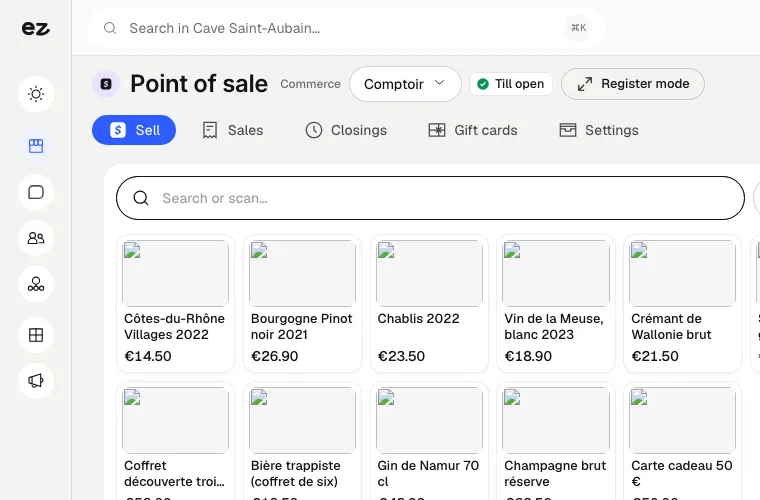
Sell at the counter with your online shop's catalogue. Stock is shared, receipts are emailed or printed, and you cash up in one step.

Discover

Click & Collect

Commerce & payments

Sell direct, commission-free.

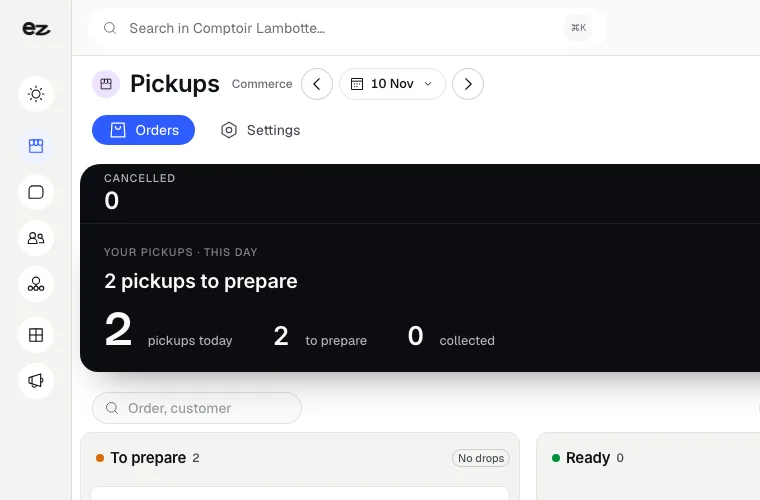
Customers order on your website and choose their in-store collection slot. Payment goes straight to you, with no platform commission.

Discover

Loyalty

Customer relationships

The stamp card, made digital and smart.

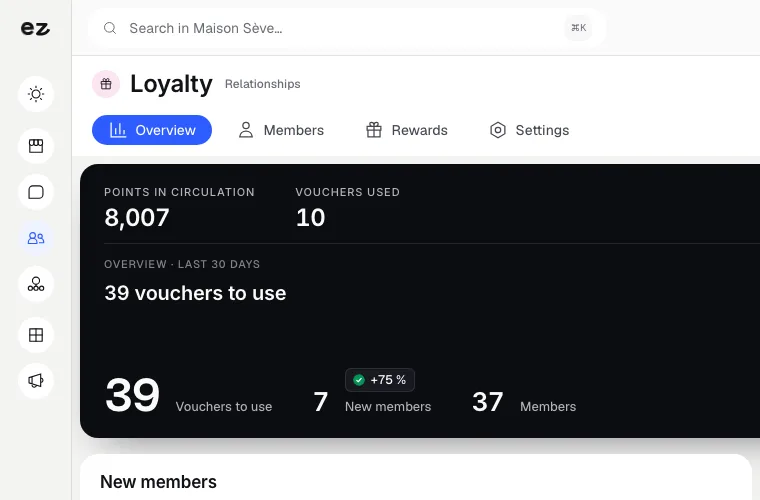
Customers earn points for every paid order or attended appointment. When they reach a threshold, the reward arrives automatically in their customer area. Unlimited members, your data.

Discover

Full e-commerce: connected to your tools

  • Cards and local payment methods

    Your customers pay by card or with a local payment method; the money goes to your account, with no Eazyclick commission.

  • Point of sale

    One till per shop, with the same catalogue and that shop's stock.

  • Click & Collect

    Customers choose their collection shop based on its stock, and a time slot.

  • CRM Pro

    Every order enriches the customer record.

  • Quotes & invoices

    Compliant invoices, including e-invoices for your business customers.

  • Loyalty

    Points on every paid order.

  • Open API

    Products, stock and orders available through a REST API documented in French and English.

  • Webhooks

    Your tools receive a signed message for every order placed and every stock change.

What the Full e-commerce module includes

Optional with Spark or Boost

In a trade pack: one fixed price for all the pack's modules.

What's included

  • Your branded shop, on your domain
  • Card payments, paid into your account
  • Stock, promotions and order tracking
  • 0 % Eazyclick commission on your sales
  • Shop setup by your project manager

Which trades is the Full e-commerce module built for?

The Full e-commerce module is not limited to one trade. Each page below presents a business that puts it forward: what its website does, the other useful modules and our pricing. Open the one that matches yours to see the module in context.

Three plans. One tool.

Run your business and make it visible: pick the plan that fits your activity, not an imaginary budget.

excl. VAT

Free

Try Spark for free

Start for free

€ 0 for 14 days

Your trade’s pack on trial, no card needed

After 14 days: read-only account, website still online

Ziggy and help centre

Users
3 during the trial
Standard modules
Your trade’s pack
Premium modules
To discover during the trial
Website
Template website to customise, live on an Eazyclick address

Spark

Run it and be seen

Most recommended

From

€ 71/month instead of € 99

€ 672 less over 24 months than with no commitment

1 h with your project manager every month

Users
3 included, then €11 per user, decreasing
Standard modules
2 included, then decreasing
Premium modules
Optional
Website
4-page website included; 6 pages or more from €19/month, Custom or High-end

Boost

Tailor-made and multi-site

From

€ 620/month instead of € 865

€ 5,880 less over 24 months than with no commitment

2 h with your project manager every month

Users
10 included
Standard modules
Unlimited
Premium modules
Optional, SEO Boost included
Website
High-end, developed to measure

Questions? We have answers.

View all FAQs

How do I open an online shop in Belgium?

You need a business registration number, a VAT number in most cases, terms and conditions of sale, legal information and a withdrawal form: private customers have 14 days to cancel their purchase. For the shop itself, your project manager sets up the catalogue, Bancontact payments and delivery charges with you.

Is opening an online shop profitable?

That depends first on your margin and traffic, not the tool. What the tool changes is the fee on each sale. Eazyclick takes nothing from your sales: a fixed subscription is easier to cover than a percentage that grows with your turnover. Do the maths using your monthly sales before choosing.

How much does the Full e-commerce module cost?

The module alone costs € 90/month excl. VAT with a 24-month commitment (€ 99/month over 12 months).

Your project manager installs your shop, and the module's price, setup included, depends on your setup: they confirm it before starting. The subscription costs less per month over 24 months than over 12. Your shop, back office, promotions, order tracking and support are included, with 0 % sales commission, whatever your turnover.

Is this module included in a pack?

It can be added as an option to any plan, at its own price. Your project manager helps you put your plan together.

Do I need an Eazyclick website or pack already?

Yes. Your shop is part of your website, on your own domain and under your brand: the module can be added to any Eazyclick website, whatever your plan (Spark or Boost). No website with us yet? We put your website and your modules together on a first call.

Can I bring over my existing products and catalogue?

Yes. You import your catalogue yourself from a CSV or XLSX file, whether a supplier file or an export from your previous shop: products, variants, photos, attributes and purchase prices. A dry run shows the result line by line before you apply it. Your project manager can help with the first import if you wish.

What sales reports will I get?

Revenue excluding and including VAT over any dates you choose, compared with the same period last year and broken down by category, brand, shop and staff member. You also see margin, based on current purchase cost, top sellers by SKU and slow-moving products. Every table exports to CSV.

Can I set different prices for business customers?

Yes. You create a price list, either sale prices or fixed prices, by variant, category or brand, and reserve it for a customer group such as trade customers or resellers. At checkout, a business customer can also enter their VAT number, which is checked against VIES.

Do you have an API to connect my ERP?

Yes. A REST API gives access to your products, stock and orders, with read or write keys and documentation in French and English. Signed webhooks report every order and every stock change. No ready-made ERP connector is supplied: the API is there to build one.

How do payments work, and is it really 0% commission?

Connect your own payment account. When a customer pays, the money goes straight to your account: we never act as an intermediary and take nothing from your sales. Customers pay securely by card or with the local payment methods your provider offers. You only pay your monthly Eazyclick subscription and your payment provider’s fees.

Is stock shared between my online and physical shop?

Yes, with the Point of sale module. Each shop has its own stock, which its till reduces with every counter sale, and online sales draw on the same stock. Your website shows availability shop by shop. You manage one catalogue, with no two systems to reconcile.

Am I compliant with e-invoicing rules?

Yes. Your orders can feed compliant invoices, including e-invoices for your business customers, through Quotes & invoices. VAT is handled by rate, and customers receive clear documents. Your accountant gets a clean export.

Arrange your discovery call

Book a call with an expert

30 minutes, zero bullshit. We review your presence, identify the most strategic option for your goals, and tell you exactly what to do next.