Quotes & invoices · Your own project manager

All-in-one ERP and business software, connected to your website

Activate the modules that keep your business running.

We don’t switch everything on. We switch on what you need. CRM, quotes, invoices, bookings, point of sale: every module is connected to your website and chosen for your trade.

Google 5.0/5
  • More than 30 modules
  • Activated in 48 h

ERP and CRM

Your website attracts the right customers. The modules handle what happens next.

No more ten tools, ten subscriptions and scattered information.

Juggling ten tools is yesterday's approach. Eazyclick modules let your website go far beyond a shop window: take payments, accept bookings, track contacts, send quotes and invoices, all from one place.

Each module is activated to meet your real needs, connects to your website without rekeying and is managed with your project manager, included in your subscription, with no extra fee.

An ERP for small businesses, without the weight of an ERP: CRM, quotes and invoices, point of sale, scheduling and bookings share the same data. Comparing us with Odoo or Teamleader? Our “Eazyclick or Odoo” guide and our CRM comparison set out the differences.

Who are the modules for?

  • Freelancers & professional practices
  • Shops, hospitality & retail
  • Tradespeople and service businesses
  • Businesses juggling several tools

From the first click to the invoice

What is the Eazyclick ecosystem?

Your website and business tools in one place. A booking, an order, a quote or a review: everything goes into the same customer record.

Available modules
30+
Customer record for everything
1

In the console

ERP & CRM modules, in the console

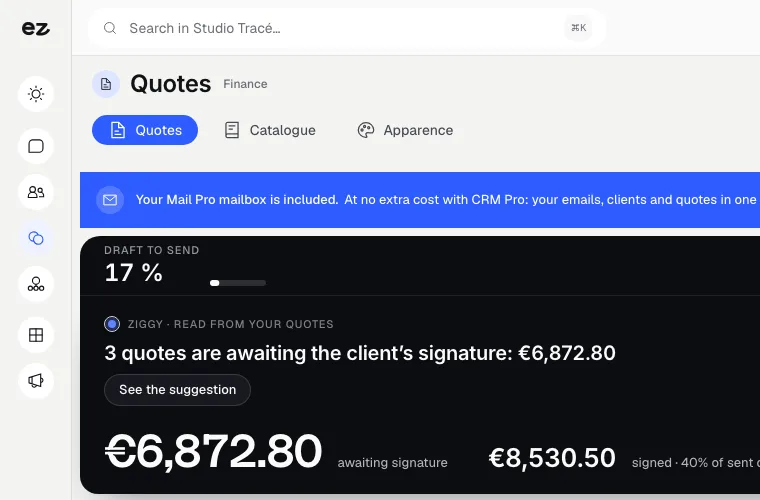
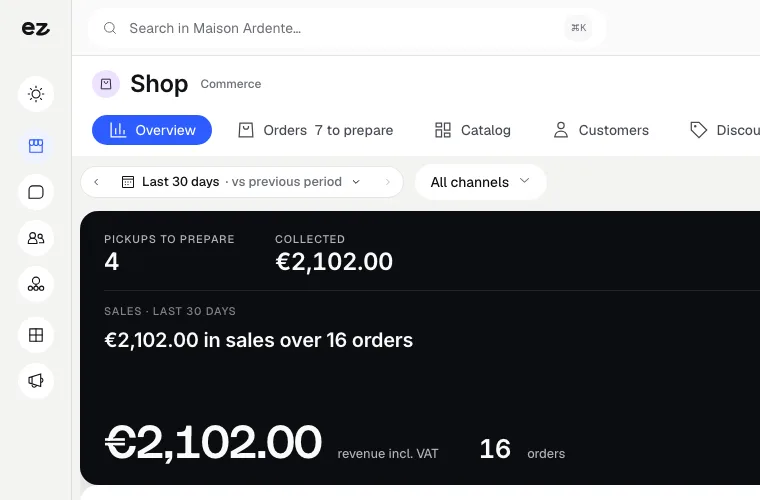
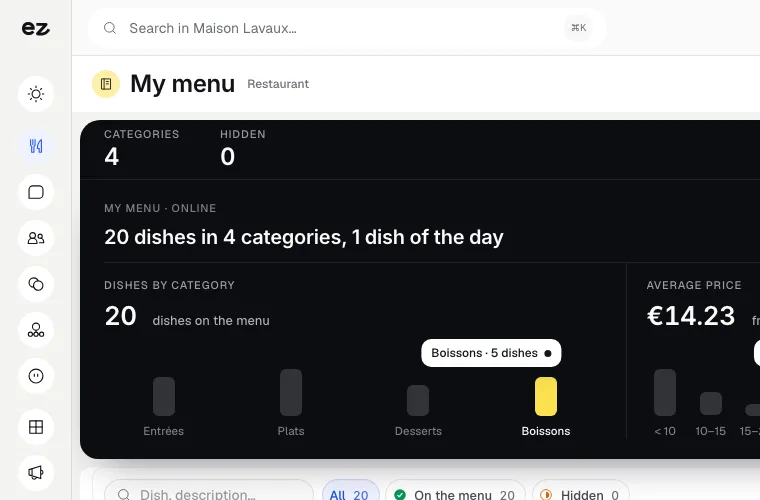
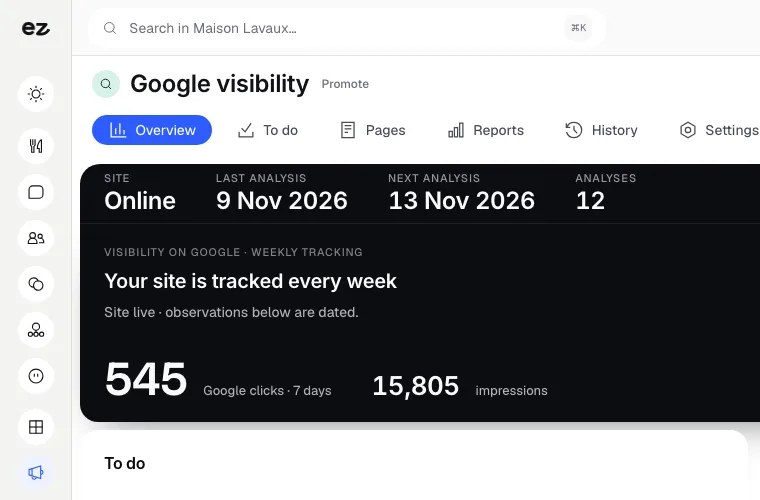
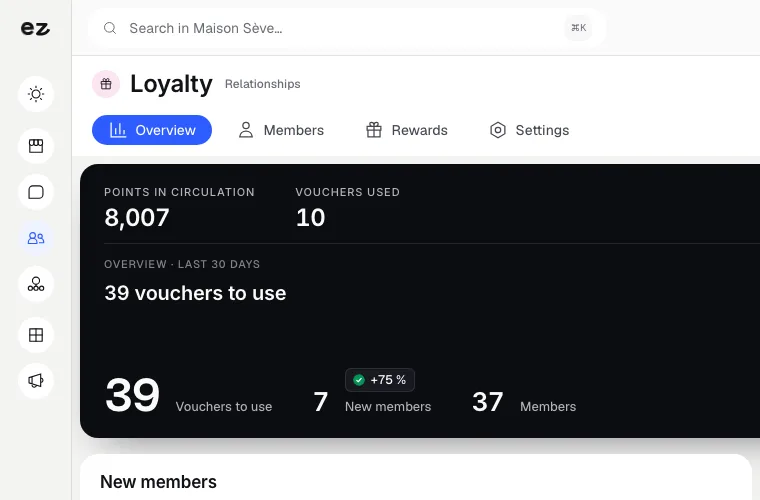
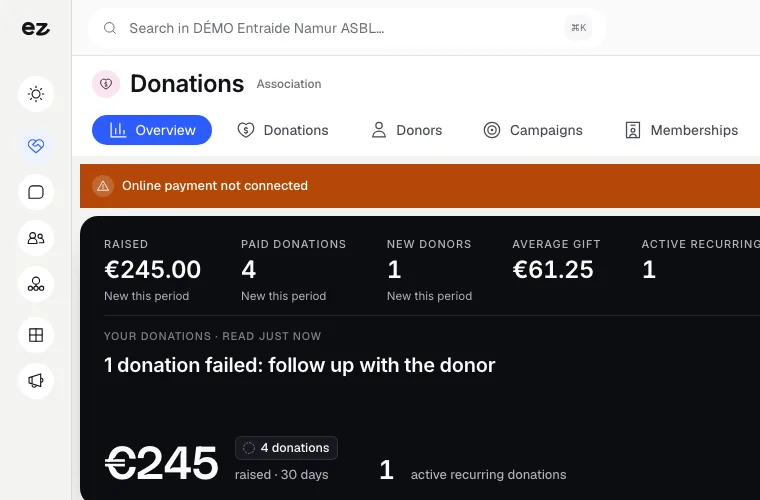
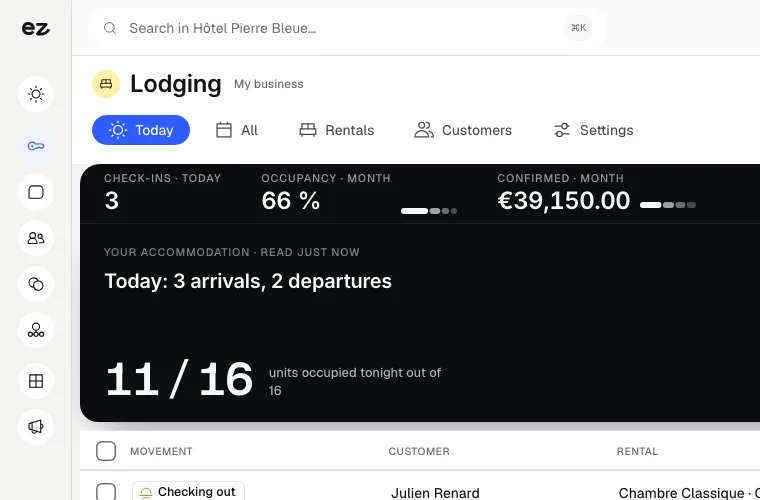
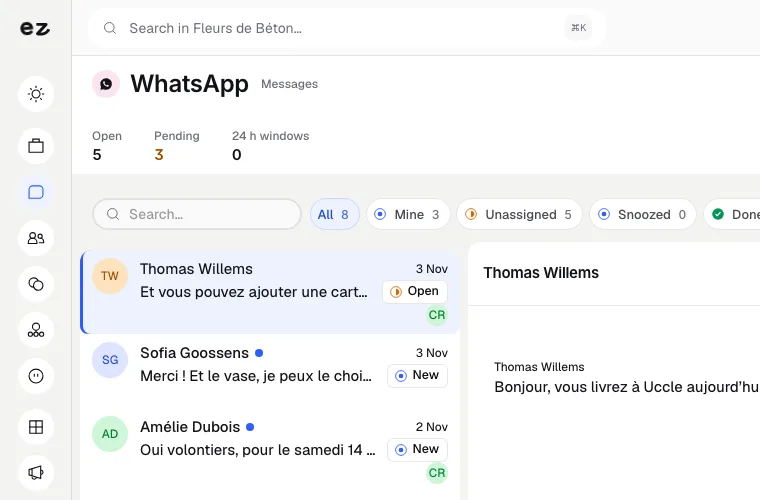
The visuals below are drawn examples; the screen is the Eazyclick console, open on a demo account.

  • Dashboard
  • Contacts
  • Planning
  • Invoices
ERP & CRM modules This solution with Spark € 113 /month excl. VAT, over 24 months Included in this price CRM Pro Quotes & invoices Staff planning Appointments (required) See pricing

Your service

Your customers don't see your tools. They see your service.

The customer record

Everything that comes through your website lands in one place.

One record per customer. Their full history, with no rekeying.

  1. 01

    A customer record fed by your website, counter and messages.

    A completed form, a booked appointment, a paid order, a signed quote, a review, a WhatsApp message: every interaction enriches the same record. You know who your customer is, what they bought and what they need before you even pick up the phone. That is the difference between ten tools and an ecosystem.

    • Forms and quote requests
    • Bookings and appointments
    • Online and in-store orders
    • Quotes and invoices
    • Google reviews and WhatsApp messages

Quotes and invoices

E-invoicing: you are ready.

Structured electronic invoices, checked before they go out.

  1. 01

    Your quotes and invoices in electronic format, from the same tool.

    More and more countries are making electronic invoicing between businesses mandatory. The Quotes & invoices module sends yours in a structured format, checked before sending to avoid rejections. Your project manager sets it up with you.

    • Invoices sent electronically, in the right format
    • Quote signed online, turned into an invoice in one click
    • An export by period for your accountant, with accounting software integration available on request

Six families

Six module families, one console

Each module adds its screens to the same console: you only open the ones for your trade.

The dashboard

A dashboard that follows your modules, and access you control.

You only see what you have switched on. And you know who is signed in.

Your dashboard changes with your modules.

The dashboard shows revenue collected, orders, enquiries, quotes and tickets from the modules you have activated, and nothing else. Each team member arranges their own widgets and saves views such as Sales, Traffic or Finance. In your settings, you can see your open sessions and close any session you do not recognise.

  • Figures from your active modules only
  • Movable widgets and saved views per member
  • Open sessions visible and revocable
  • Data hosted in Europe

Get started

Set up with your project manager in 4 steps.

A team, not a ticket.

  1. Step 01

    We review your tools.

    A 30-minute call with your project manager. We list what you use today, what it costs and what wastes your time.

  2. Step 02

    We build your solution.

    We choose the modules your business needs, nothing more. You know what you will pay before we start.

  3. Step 03

    We import your data and train you.

    Your first module is activated in 48 h. Your contacts, products and appointments are imported. Your team is trained on the activated modules.

  4. Step 04

    We stay by your side.

    Your project manager remains your point of contact. Growing? We activate the next module.

From message to invoice

From the first message to the paid invoice.

Three people laugh around a desk, in front of a blue wall
A technician in a yellow jacket in front of a machine, against a royal blue wall
A dentist and a child, standing side by side in front of a green wall

Your current tools

Already using Odoo or another tool?

Keep what works.

If Odoo, Teamleader or Excel work well for your business management, we won't ask you to change everything. We start with what you are missing: a website that brings in customers and the modules that connect it to your business.

When you want to bring everything together, your project manager imports your contacts, products and appointments and handles the migration. And with us, setup does not go through a separately billed integrator.

An adviser in a yellow suit reviews things with a client seated at her desk, in front of a purple wall

The plans

Add-ons for every plan.

And the plans already include some.

You only pay for what you activate. And if your website is elsewhere, the modules also work on their own.

  • Free: try Spark for 14 days with your trade’s pack. Every enquiry from your website lands in a customer record.
  • Spark: the full CRM to follow up your deals and reminders, among the 2 standard modules included.
  • Boost: unlimited standard modules, CRM included, for teams and several locations.
A notary in a dark suit smiles and gestures a welcome at the door of his office

Trade packs, at a fixed price

66 trades have their pack: the modules of their business, a website and users, at a fixed monthly price with Spark over 24 or 12 months. The 14-day free trial opens your trade's pack.

The 66 trade packs, at a fixed price

Price per month excl. VAT · website included

Frequently asked questions

Frequently asked questions about the modules

Do I need an Eazyclick website to use the modules?

No. Modules can also be activated without an Eazyclick website: that is often where we start, with the CRM or Quotes & invoices module (e-invoicing).

With an Eazyclick website, you can go further: every booking, order or enquiry goes straight into your customer record. Your project manager explains what is possible with your current website and what you would gain.

How much do modules cost? Are they included in packages?

Modules are à la carte, on every plan: Spark includes 2 standard modules, Boost includes them all, and premium modules are added at their own price. Your project manager confirms the price before anything is set up. You only pay for what you switch on, and each extra standard module costs less than the one before.

The Quotes & invoices module (e-invoicing) follows the same rule: a price based on your setup, with no hidden costs.

E-invoicing: are you ready?

Electronic invoicing between businesses is becoming mandatory in more and more countries. The Quotes & invoices module sends your invoices in a structured electronic format, from the same tool as your quotes and your CRM. It is one of the standard modules of Spark and is included in Boost. Your project manager sets up your e-invoicing identity with you.

Your invoice and payment ledger exports for the period you choose (Excel, CSV or PDF), for your accountant. Direct integration with your accounting software is available on quotation.

Will my existing contacts, products and appointments be transferred?

Yes. Your Excel file or export from your current tool imports in minutes: columns are mapped and nothing is lost. Your project manager handles this with you and also transfers your catalogue and time slots.

Who sets up the modules? Does my team need training?

Your project manager. Your first module is activated within 48 hours: they configure it with you, import your data and train your team. This support is included in your subscription. They remain your contact whenever you want to add a module.

Where is my data hosted? Is it GDPR-compliant?

Your data is hosted in Europe, in Paris, and processed in accordance with the GDPR. You retain ownership of your data and can export it at any time.

Is my Eazyclick workspace secure?

Each member of your team signs in with their own access, and their permissions depend on their role. In your settings, you can see the sessions open on your devices and close any you do not recognise. Your data is hosted in Europe, in Paris, and you can export it at any time.

Does Eazyclick work for a retailer with several stores?

Yes. Each store has its own stock, shown on the product page of your website, and customers choose the store where they collect their order. Each till belongs to a store, and you can follow revenue by store and by salesperson. See our page on multi-store retail software, along with the repair workshop and NPS surveys.

View all FAQs

Book your discovery call

A click isn't enough. A spark is.

30 minutes, zero bullshit. We review your tools, calculate what they cost and show you what the Eazyclick ecosystem could look like for your business.