Bookings & appointments module

Online appointment booking, 24 hours a day, on your website

Customers book online, 24 hours a day, on your website

Availability updated by the minute, no double bookings, automatic reminders the day before. Every appointment joins the customer record, without typing a single email.

Google 5.0/5

Open your calendar online, let customers choose their slot and find every appointment already filed.

Ideal for appointments

No more answering endless calls

Customers see your actual availability and choose a slot at any time. The system blocks it, sends the confirmation and day-before reminder, and adds the appointment to the customer record.

  • No double bookings: a booked slot disappears immediately

  • Customers cancel through a secure link

  • Practitioners, tables or places managed in the same calendar

40 000+

appointments booked online

−60 %

missed appointments

A calendar that fills itself without taking up your time

Today, every appointment comes through a call, text or email. You write it down, call back to confirm and reschedule. A customer forgets, or two bookings land in the same slot.

With Bookings & appointments, customers see your actual availability and choose their slot at any time. The system blocks it, sends the confirmation and then the reminder, and you can approve each request if you wish.

The result: more than 40,000 appointments booked online by our clients, 30% outside opening hours, and 60% fewer missed appointments thanks to automatic reminders.

Who is Bookings & appointments for?

  • Health and wellbeing
  • Hairdressing and tattooing
  • Practices and practitioners
  • Restaurants
Book a free call

What our appointment booking software does

Always accurate availability

Define your services, durations, working hours and holidays just once. The system calculates the slots that are actually available. Customers never see a slot that doesn't exist.

  • Services and durations
    Define your services and their durations once and for all
  • Preparation time
    The calculation allows for preparation time between customers
  • No double bookings
    As soon as a slot is booked, it disappears for other visitors
  • Hours and holidays
    Your hours and holidays automatically remove the relevant slots

Confirmations and reminders send themselves

As soon as they book, your customer receives an email confirmation with a summary and a file for their own calendar. A first reminder goes out the day before and a second one two hours ahead, on timings you set yourself. Fewer missed appointments.

  • Instant confirmation
    A summary email is sent as soon as the appointment is booked
  • Calendar file
    An attachment lets customers add the appointment to their own calendar
  • Two reminders
    The day before, then two hours ahead, on the timings you choose
  • Self-service cancellation
    The customer cancels through a secure link and the slot opens up again

Every appointment enriches the customer record

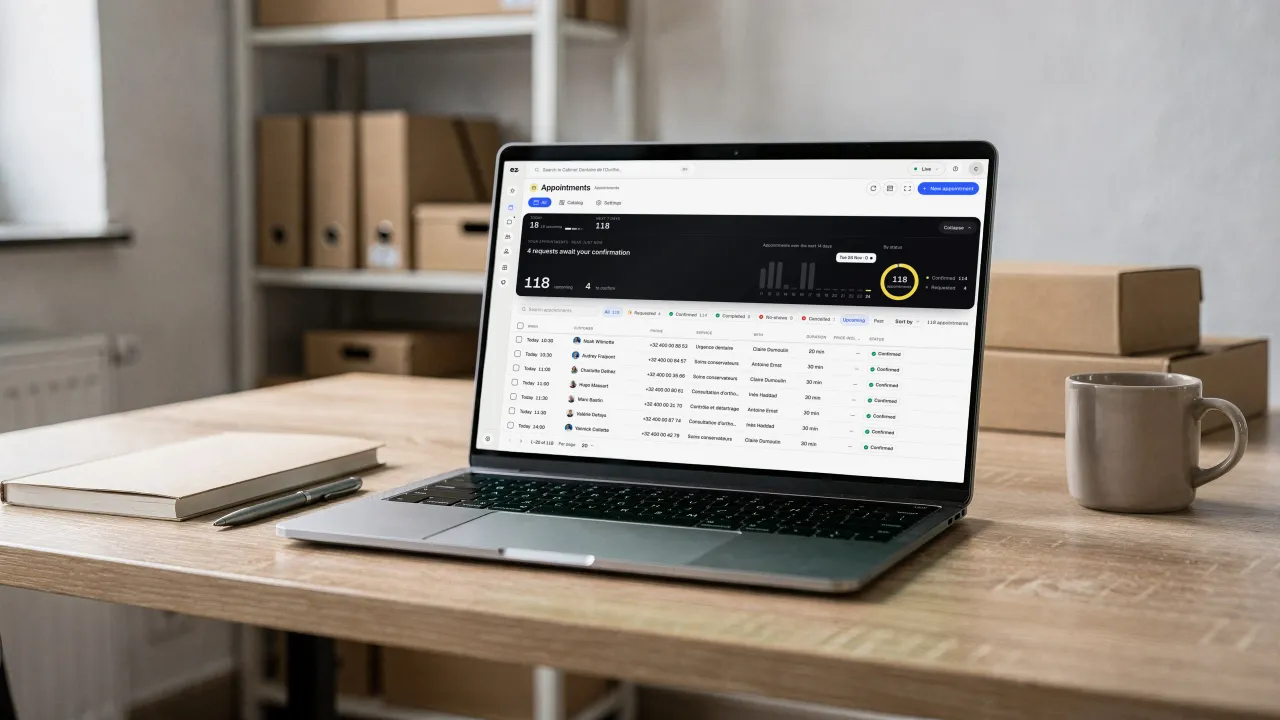
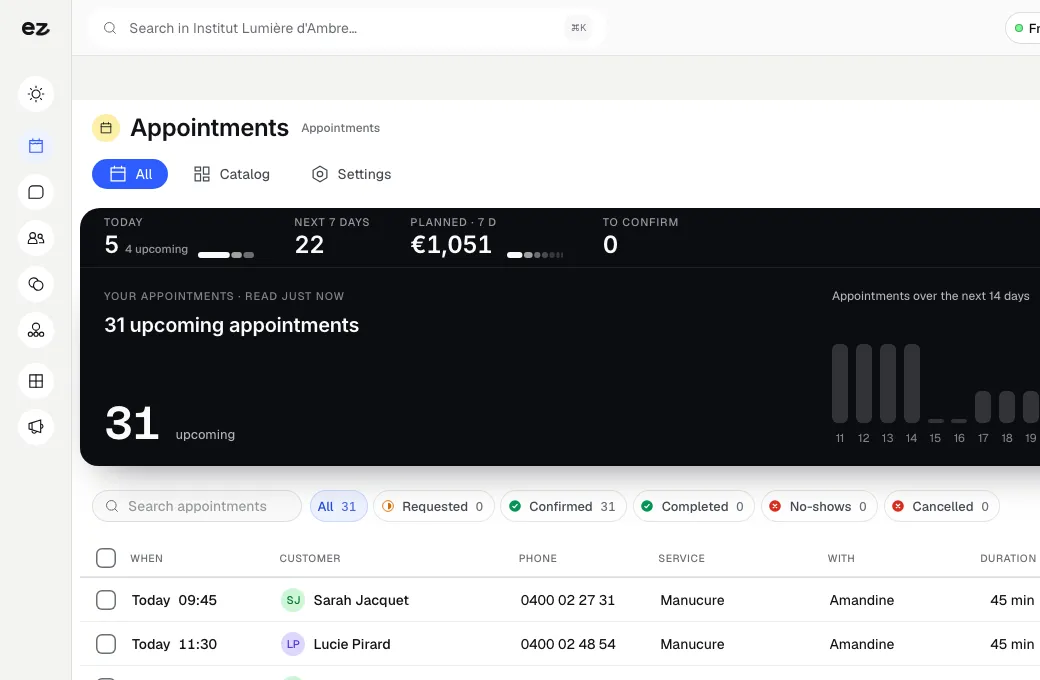
A booked appointment is more than a calendar entry: it's a customer. Their details join your database with their visit history, and you manage everything from one dashboard, including today's calendar.

  • Customer record created
    Your customer's details automatically join their record
  • Visit history
    Find every customer's previous visits in their history
  • One screen
    Today's calendar, confirmations to approve and no-shows to record
  • Practitioners, tables, places
    The same calendar manages your practitioners, tables and places

Quotes at booking time and bike workshop appointments

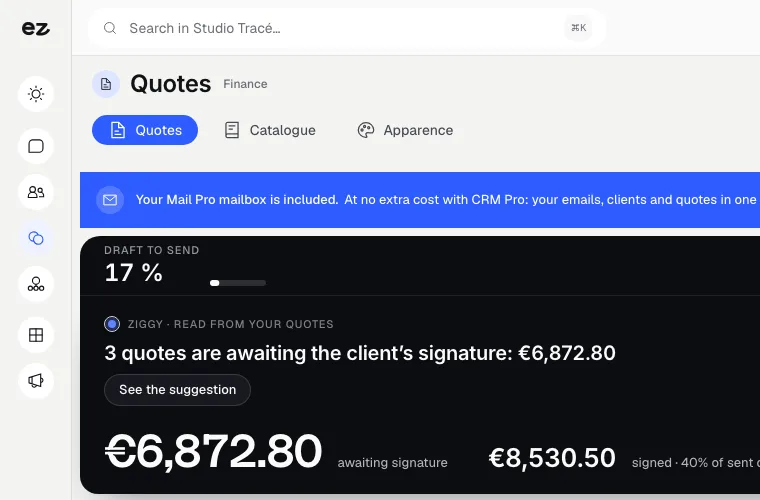
In quote mode, your customer picks a service and its options, sees the price and duration straight away, then receives a numbered quote by email. As soon as they accept it online, the appointment is confirmed and you are notified. A bike shop can also open workshop booking by store and by mechanic.

A clear price before the appointment

Visitors build their request on your website: service, options and any travel charge. The module works out the amount and duration from your price list, then sends a numbered quote. The slot stays held until the customer replies.

  • Instant pricing
    Price and duration calculated as soon as the customer picks options
  • Numbered quote
    The quote is emailed with a link to accept it online
  • Confirmed on acceptance
    An accepted quote confirms the appointment, with no extra step
  • You get notified
    Every new request and every accepted quote is flagged to you

Workshop appointments, with store and mechanic

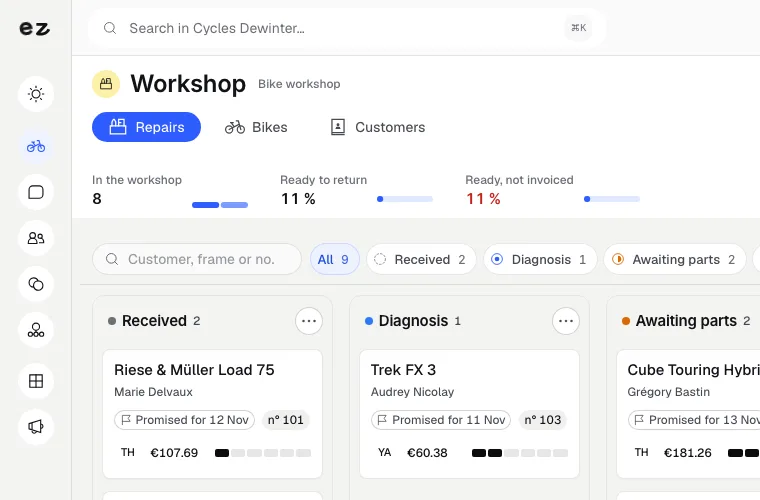
For a bike workshop, the customer chooses the service package, the store, the mechanic and the time slot. In the Workshop module, the work order is then created from that appointment, with the bike record and parts taken from that store's stock.

  • Workshop packages
    Service, adjustment or repair, each with its own duration
  • Choice of store
    The customer books at the store that suits them
  • A calendar per mechanic
    Each mechanic has their own free slots
  • Linked to the order
    The appointment shows on the work order

Your online calendar live in 3 steps

Three steps. No mental load. A module that works for you, not the other way round.

View all modules
Step 01

Your project manager sets up your calendar

Your Eazyclick project manager sets up your services, hours, practitioners or tables, and preparation times. You approve everything together, and the booking module integrates into your website with your brand's design.

Step 02

Customers book for themselves

On your website, visitors choose a service and slot, then leave their contact details. The time is blocked instantly and an email confirmation goes out. You can approve each request if you prefer to stay in control.

Step 03

Manage everything from one screen

Today's appointments, automatic reminders, cancellations and registered customers all live in your single dashboard. Add an appointment taken by phone with a click, mark a no-show or block out a holiday.

Modules that complement your appointments

Every module you activate strengthens the others

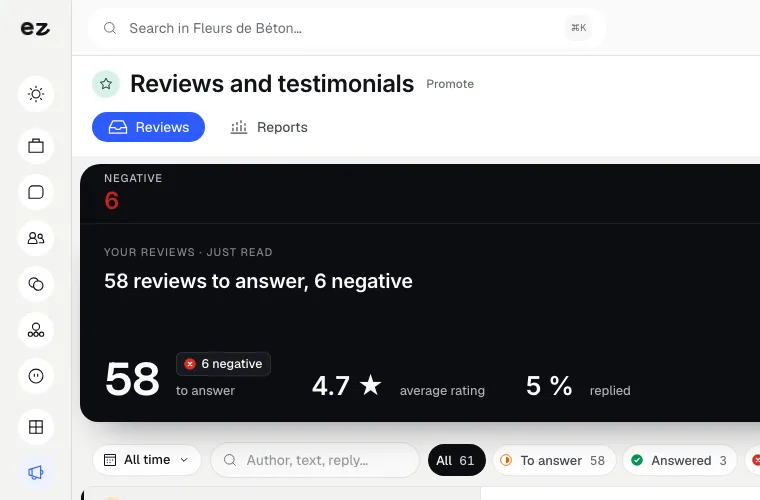
Reviews & testimonials

Visibility & acquisition

Your best reviews, showcased on your website.

Your Google reviews sync automatically and appear on your pages in your design. Visitors see what your customers think of you right when they are hesitating.

Discover

Workshop

Commerce & payments

Every repair tracked from booking to invoice.

A workshop appointment booked on your website becomes a work order, with the bike record and the store's parts.

Discover

Quotes & invoices

Management & finance

Quote accurately. Get it signed online. Get paid.

A quote accepted at booking time becomes an invoice in one click, with payment tracking.

Discover

Bookings & appointments: connected to your tools

  • Google Calendar

    Your appointments synced with your Google calendar.

  • Deposit payment

    A deposit requested when booking, paid into your account with no Eazyclick commission.

  • WhatsApp messaging

    A WhatsApp reminder sent before the appointment.

  • CRM Pro

    Every appointment joins the customer record.

  • Team scheduling

    Your team's hours open and close available slots.

  • Workshop

    A workshop appointment opens the work order, with its store and mechanic.

  • Quotes & invoices

    A priced quote sent at booking time, which confirms the appointment once accepted.

What the Bookings & appointments module includes

Included in Spark (1 of the 2 modules of your choice) and in Boost

In a trade pack: one fixed price for all the pack's modules.

What's included

  • Unlimited practitioners and appointments
  • Booking 24 hours a day on your website
  • Email and WhatsApp reminders
  • Customers reschedule through a link
  • Google Calendar busy times
  • Every appointment on the customer record

Which trades is the Bookings & appointments module built for?

The Bookings & appointments module is not limited to one trade. Each page below presents a business that puts it forward: what its website does, the other useful modules and our pricing. Open the one that matches yours to see the module in context.

Three plans. One tool.

Run your business and make it visible: pick the plan that fits your activity, not an imaginary budget.

excl. VAT

Free

Try Spark for free

Start for free

€ 0 for 14 days

Your trade’s pack on trial, no card needed

After 14 days: read-only account, website still online

Ziggy and help centre

Users
3 during the trial
Standard modules
Your trade’s pack
Premium modules
To discover during the trial
Website
Template website to customise, live on an Eazyclick address

Spark

Run it and be seen

Most recommended

From

€ 71/month instead of € 99

€ 672 less over 24 months than with no commitment

1 h with your project manager every month

Users
3 included, then €11 per user, decreasing
Standard modules
2 included, then decreasing
Premium modules
Optional
Website
4-page website included; 6 pages or more from €19/month, Custom or High-end

Boost

Tailor-made and multi-site

From

€ 620/month instead of € 865

€ 5,880 less over 24 months than with no commitment

2 h with your project manager every month

Users
10 included
Standard modules
Unlimited
Premium modules
Optional, SEO Boost included
Website
High-end, developed to measure
A laptop on a wooden desk, binders and boxes behind it, a mug beside it: on screen, the upcoming Appointments, to confirm and confirmed
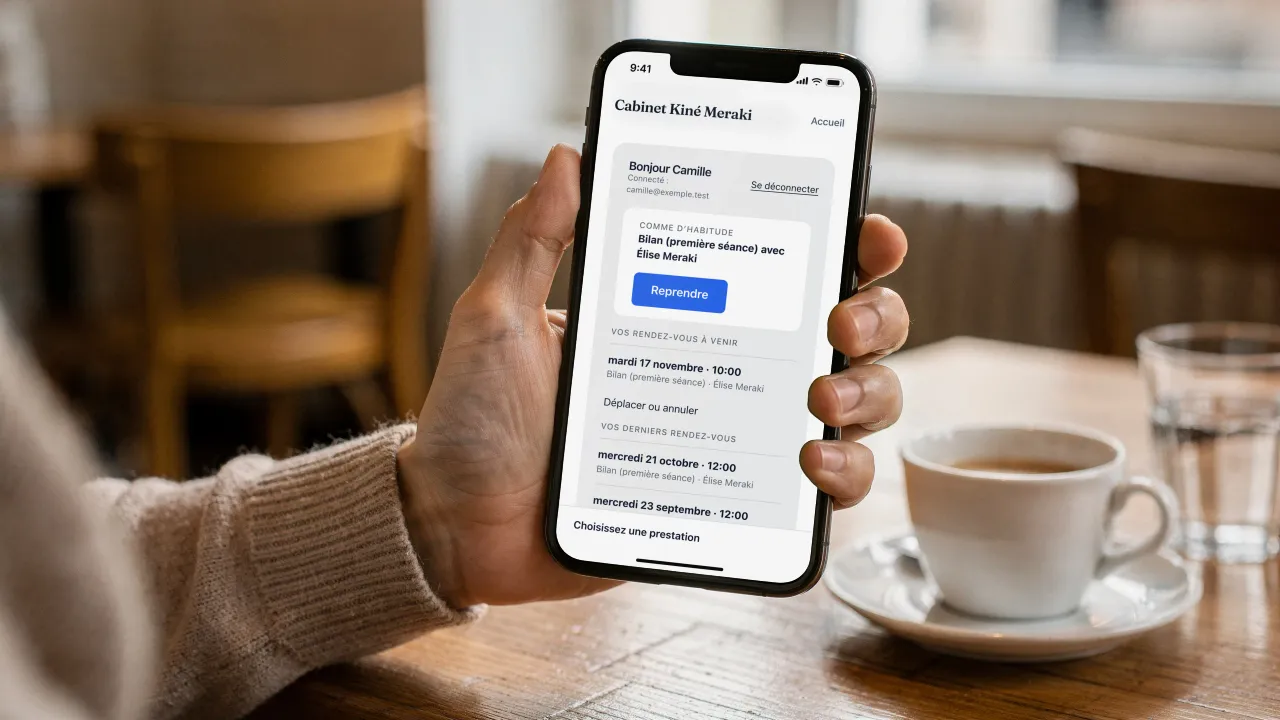
A customer at a café table holds her phone: on screen, her client area at Cabinet Kiné Meraki (in French), signed in, her usual appointment (« Bilan (première séance) ») to book again in one tap, then her upcoming and past appointments

Questions? We have answers.

View all FAQs

Does the module charge commission on new customers?

No. A customer booking on your website, new or returning, costs you nothing extra, and their record stays in your CRM.

How do I set up online appointment booking?

List your services with their durations and prices, your hours and the people providing them. Your project manager configures the diary with you, adds the booking button to your website and sets up reminders. Customers then book 24 hours out of 24, receive confirmation and a reminder before the appointment.

How much does the Bookings & appointments module cost?

The module alone costs € 21/month excl. VAT with a 24-month commitment (€ 24/month over 12 months).

The price, setup included, depends on your setup and is confirmed with your project manager; the subscription costs less per month with a 24-month commitment than with 12. The price is per website, with unlimited practitioners and appointments: your cost doesn't rise as your team grows. A trial is available; ask your project manager.

Is this module included in a plan?

It is a standard module: one of the 2 included in Spark, and included in Boost. Your project manager helps you choose the modules your business really needs.

Do I need an existing Eazyclick website or package?

Yes. Your customers book directly on your website: the module can be added to any Eazyclick website, whatever your plan (Spark or Boost), and is managed from the same dashboard. No website with us yet? We put your website and your modules together on a first call.

Can I transfer my existing appointments and customers?

Yes. During setup, your project manager goes through your services, hours and working habits with you. Existing customer records can be imported so nothing is lost. You start with a calendar already configured for your business, ready to accept bookings as soon as it goes live.

Can I approve each request before it's confirmed?

Yes, you choose. Some services can be confirmed automatically, while others are submitted as requests for approval: you stay in control and confirm or decline from your diary. Even while awaiting your approval, the slot stays blocked so another customer can't take it. You decide the level of control for each service.

What happens if two customers click the same slot?

Only one gets the appointment. The system blocks the time the instant a booking is made: the second person immediately sees the slot is unavailable and chooses another time. Double booking is simply impossible, even during busy periods. You never end up with two customers in the same slot.

Is it suitable for a group practice or a restaurant?

Yes. The same calendar manages several practitioners, a set of tables or places in a group class, each with their own hours and availability. Customers choose the person or table that suits them, or take the first available slot. One tool covers health, wellbeing, hairdressing and table bookings.

Can customers get a quote when they book?

Yes, if you turn on quote mode. The customer picks a service and its options, sees the price and duration worked out from your price list, then receives a numbered quote by email. The slot stays held. As soon as they accept the quote online, the appointment is confirmed and you get a notification.

Can customers book a bike workshop appointment online?

Yes. On your website, the customer chooses the workshop package, the store, the mechanic and the time slot, then gets the same confirmation and reminders as any appointment. With the Workshop module, the work order is created from that appointment and keeps the bike's history, found by its frame number.

Arrange your discovery call

Book a call with an expert

30 minutes, zero bullshit. We review your presence, identify the most strategic option for your goals, and tell you exactly what to do next.