CRM Pro module

Simple CRM software: organise, track and follow up your leads

Your leads organised, tracked and followed up

Every form, appointment and order lands in the same place. See at a glance who to follow up today.

Google 5.0/5

See who contacted you, what you told them and when to follow up, on one screen.

Ideal for follow-ups

Who should you follow up today?

Everything coming through your website is automatically organised in your pipeline: forms, appointments, orders. See the value at stake, each record's full history and today's follow-ups.

  • Forms, appointments and orders organised automatically

  • Pipeline columns showing the value at stake

  • Follow-up reminders and today's tasks

+38 %

leads followed up on time

3 h

saved every week

Clear sales tracking, without complicated software

Right now, your leads are everywhere: an email here, a voicemail there, a name scribbled on a quote. You forget to call back, follow up twice or lose a serious enquiry.

With CRM Pro, forms, appointments and orders are automatically organised in your pipeline. Drag each lead from one stage to the next, see the value at stake and who to follow up today.

The result: 38% more leads followed up on time, three hours of sales admin saved each week, and one dashboard for all your contacts and channels.

Who is CRM Pro for?

  • Sole traders
  • Shops
  • Service providers
  • Businesses with lots of incoming contacts
Book a free call

New in the console

Your pipeline in numbers, no lead forgotten

The latest console screens, as they are, at Maison Lavaux, a demo business.

  1. New

    Your pipeline, read in numbers

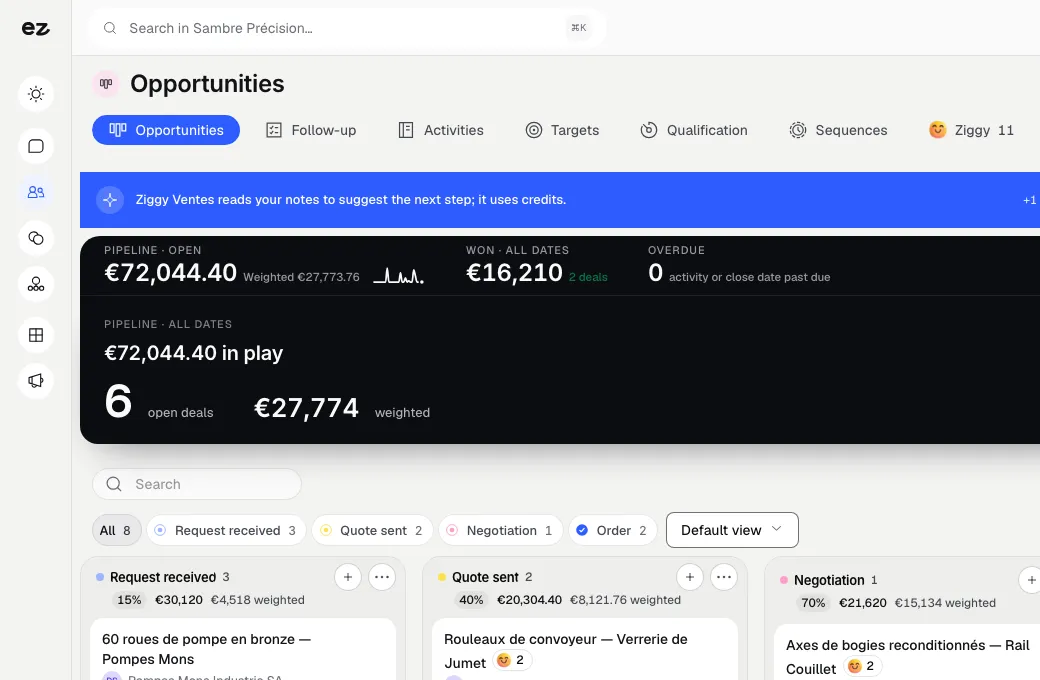
    Above the kanban, the band reads your pipeline: the amount in play and the stage holding most of it, open and overdue deals, the weighted and the won amounts.

  2. New

    Every stage has its probability

    Each pipeline column carries its stage probability and weighted amount, and each deal its own: you know what the quarter can really bring in.

  3. New

    Target and forecast, on one chart

    Signed revenue month by month, the current month and the forecast in dotted lines: you see the gap to the quarterly target right away.

  4. New

    Sleeping deals surface on their own

    A deal with no news for too long gets flagged on its card before it goes cold.

  5. New

    The leads to follow up, at the top of the list

    A dense list that flags overdue follow-ups and contacts never reached: you know who to call first.

  6. New

    First contact prepared the moment you create it

    When you create a contact, one box sets today's follow-up task and another starts the welcome sequence: no lead is left hanging.

A visual pipeline that tracks your sales

Your leads appear in columns: new, contacted, quote sent, won. Drag a record from one stage to the next in a single move, and each column shows the total value at stake. No more spreadsheets.

  • Clear columns
    New, contacted, quote sent, won: each stage has its own column
  • Value at stake
    Each column shows the total value at stake, giving you a view of potential revenue
  • Multiple pipelines
    Create as many pipelines as you have activities to track separately
  • Won or lost
    Mark each deal won or lost, with the reason for the decision

Views and segments your way

Choose which columns appear, save favourite views and filter by sector, activity, score, city or tag. Find hospitality customers you have not heard from in a month in three clicks.

  • Your choice of columns
    Choose the columns displayed and save your favourite views
  • Combined filters
    Filter by sector, activity, score, city or tag, however you like
  • Saved segments
    Your “Customers to follow up” list stays one click away
  • Quality score
    Each record shows a score and its full history to help you prioritise

Effortless follow-ups and imports

Schedule a follow-up and get a reminder at the right moment. Every morning, your dashboard lists today's tasks and new contacts to handle. Import your Excel file in minutes.

  • Scheduled follow-up
    Set the date and receive the reminder at the right time, without forgetting
  • Your morning overview
    The dashboard lists today's tasks and new contacts
  • Excel import
    Your columns are mapped, the import takes minutes and nothing gets lost
  • Duplicates detected
    Duplicates are spotted automatically, keeping your growing customer database clean

Sales forecasting: a pipeline that shows what will close

Each stage of your pipeline carries a win probability that you set yourself, and any deal can have its own. CRM Pro multiplies the deal value by that probability and shows the weighted total at the top of each column, so you can see what is likely to close and compare it with your sales targets.

A kanban board for mouse, touch or keyboard

Move a deal to the next stage the way you work: with a mouse at your desk, a finger on a tablet or the keyboard. Card order is shared, so the whole team sees the same board.

  • Drag and drop with a mouse or a finger
  • Keyboard moves, no mouse needed
  • Total and weighted value per column
  • Editable probability for each stage

Sales targets, month by month

Set targets for the team or for each salesperson: signed customers, revenue, qualified meetings. CRM Pro works out actual results from your deals and shows them next to each target.

  • Twelve months of targets on one grid
  • For the whole team or per salesperson
  • Actuals calculated from your deals

Views you share with a link

Your filters are stored in the page address. Save a view, or send the link to a colleague, who will open exactly the same list. Any filtered list exports to CSV.

  • Save views in one click
  • Filters kept in the page link
  • CSV import and export for contacts and deals
  • Optional: records enriched through your Apollo account

Our customers turn more leads into customers. The numbers prove it.

No empty promises. Measured results, project after project.

See all our reviews

Your CRM set up in 3 steps

Three steps. No mental load. A module that works for you, not the other way round.

View all modules
Step 01

We activate CRM Pro on your dashboard

Your basic CRM becomes a proper sales tracking tool. Your project manager activates it in an instant, and your existing contacts are already there: nothing to reinstall or reimport if you were already with us.

Step 02

Your contacts organised into a pipeline

Forms, appointments, orders: all your enquiries are automatically sorted by stage. Adjust your columns, tags and views to match how you sell. Finally, see your entire sales portfolio on one screen.

Step 03

Track and follow up

Every morning, the dashboard shows who to follow up and which tasks are due. Drag deals between stages, mark sales as won and stay on track. No more leads slipping through the cracks.

Modules that complete your CRM

Every module you activate strengthens the others

Email marketing

Visibility & acquisition

Your customers are already here. Write to them.

Segment your contacts in the CRM, then send the right message to the right people: your follow-ups become campaigns.

Discover

Quotes & invoices

Management & finance

Quote accurately. Get it signed online. Get paid.

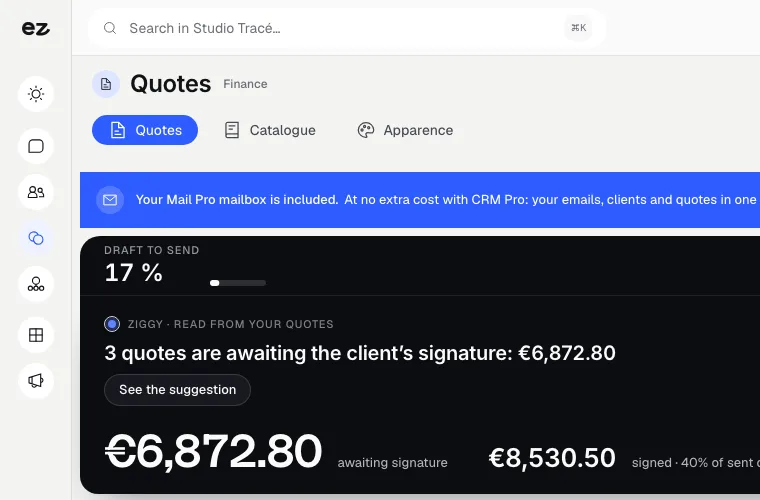
A qualified lead in your pipeline? Send an online quote and track its acceptance without leaving your dashboard.

Discover

WhatsApp messaging

Customer relationships

WhatsApp, shared by your team, linked to customer records.

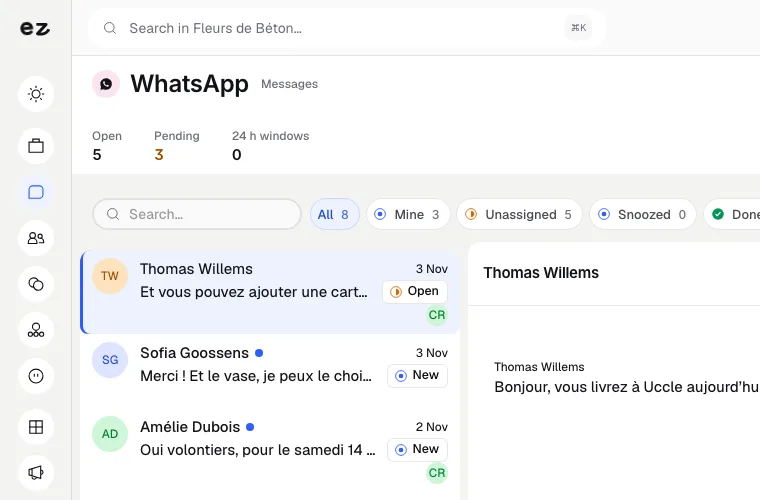
Every WhatsApp conversation links to the contact record: reply quickly, with the full history in view.

Discover

CRM Pro: connected to your tools

  • Your website forms

    Every completed form creates or updates a record, deduplicated by email or phone number.

  • Bookings & appointments

    Appointments booked online join the customer record.

  • Full e-commerce

    Every order is added to the customer's history.

  • WhatsApp messaging

    WhatsApp conversations appear on the contact record.

  • Quotes & invoices

    Send the quote from the record; its status feeds back into the pipeline.

  • CSV import

    Your existing contacts imported, columns mapped and duplicates detected.

What the CRM Pro module includes

Included in Spark (1 of the 2 modules of your choice) and in Boost

In a trade pack: one fixed price for all the pack's modules.

What's included

  • Spark includes 3 users; extra users are billed according to the price grid.
  • Pipeline, customer records and follow-ups; Mail Pro inbox included at no extra cost
  • Website leads, appointments and orders added automatically
  • Contact import (CSV) with duplicate detection
  • Support from your project manager

Which trades is the CRM Pro module built for?

The CRM Pro module is not limited to one trade. Each page below presents a business that puts it forward: what its website does, the other useful modules and our pricing. Open the one that matches yours to see the module in context.

Three plans. One tool.

Run your business and make it visible: pick the plan that fits your activity, not an imaginary budget.

excl. VAT

Free

Try Spark for free

Start for free

€ 0 for 14 days

Your trade’s pack on trial, no card needed

After 14 days: read-only account, website still online

Ziggy and help centre

Users
3 during the trial
Standard modules
Your trade’s pack
Premium modules
To discover during the trial
Website
Template website to customise, live on an Eazyclick address

Spark

Run it and be seen

Most recommended

From

€ 71/month instead of € 99

€ 672 less over 24 months than with no commitment

1 h with your project manager every month

Users
3 included, then €11 per user, decreasing
Standard modules
2 included, then decreasing
Premium modules
Optional
Website
4-page website included; 6 pages or more from €19/month, Custom or High-end

Boost

Tailor-made and multi-site

From

€ 620/month instead of € 865

€ 5,880 less over 24 months than with no commitment

2 h with your project manager every month

Users
10 included
Standard modules
Unlimited
Premium modules
Optional, SEO Boost included
Website
High-end, developed to measure
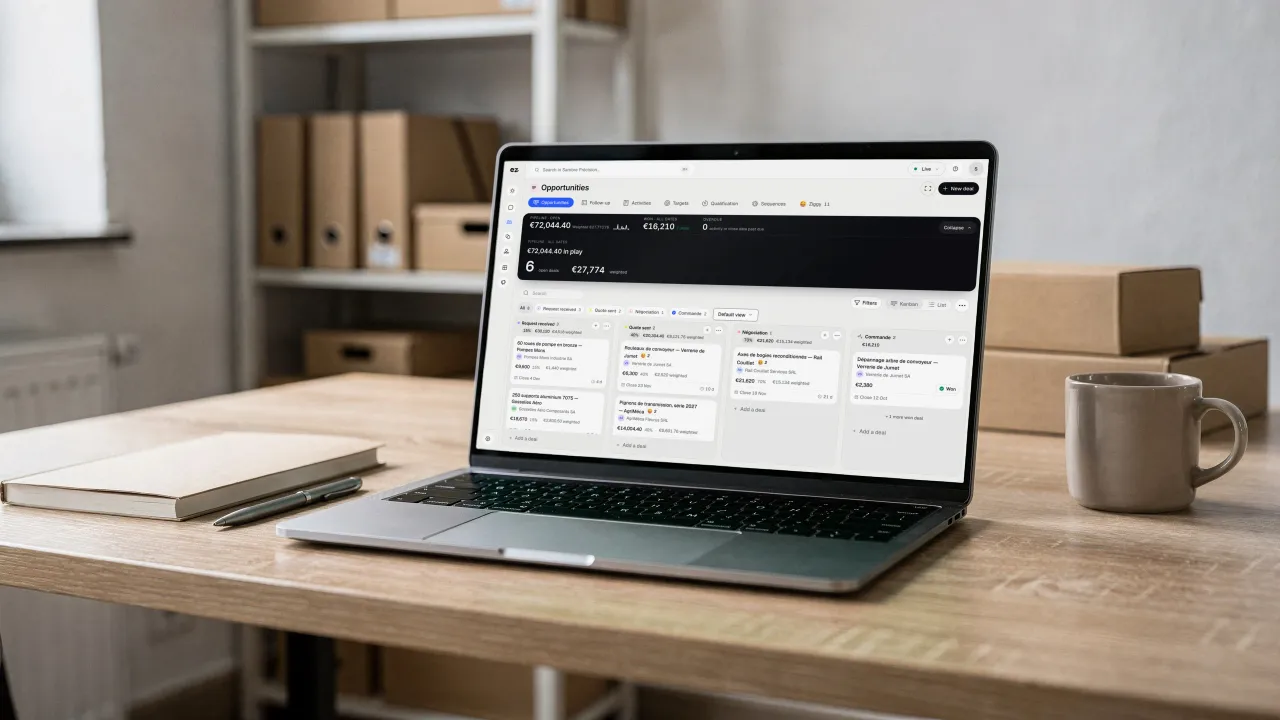
A laptop on a wooden desk, binders and boxes behind it, a mug beside it: on screen, the deals pipeline in columns, each stage's probability and the weighted amount

Questions? We have answers.

View all FAQs

What are the 3 types of CRM?

There are three types of CRM. Operational CRM organises day-to-day prospecting, sales and customer follow-up; analytical CRM uses that data for measurement and forecasting; collaborative CRM shares information between teams. CRM Pro is primarily operational. To learn more: our CRM guide for Belgian SMEs.

What is the difference between a CRM and an ERP?

A CRM manages customer relationships: prospects, follow-ups, open quotes, conversation history. An ERP manages business operations: stock, invoicing, purchasing, scheduling. At Eazyclick, they complement each other: CRM Pro shares records with Quotes & invoices, e-commerce and scheduling, without duplicate entry.

See our all-in-one management software.

What is a weighted pipeline value?

It is a deal's value multiplied by its probability of closing. A €10,000 deal at the 'quote sent' stage, set to 40%, counts as €4,000. CRM Pro adds these figures up in each column, which gives you a more realistic sales forecast than the raw total of your pipeline.

How do I track sales targets in the CRM?

Enter your targets month by month, for the whole team or for each salesperson: signed customers, revenue or qualified meetings. CRM Pro calculates actual results from the deals in your pipeline and displays them next to each target, so you can see straight away which month is falling behind.

How much does a CRM cost for an SME in Belgium?

Teamleader, HubSpot and Pipedrive charge per user per month: €14 to €79 per user at Pipedrive depending on the plan (checked in September 2026). Full details: which CRM for a Belgian SME?

How much does CRM Pro cost?

The module alone costs € 21/month excl. VAT with a 24-month commitment (€ 24/month over 12 months).

Setup depends on your configuration and is confirmed with your project manager. Everything is included, without commission or hidden fees, including your project manager's support.

Is this module included in a pack?

Yes. CRM Pro is the full CRM: you can choose it among the standard modules of Spark, and it is included in Boost. Without it, every enquiry from your website still lands in a customer record. Your project manager switches it on for you, with nothing to re-import.

What is the difference with the contact book included in every plan?

The contact book receives your contacts and enquiries, with their history. CRM Pro helps turn them into customers: visual pipeline, views and segments, scheduled follow-ups and file imports. Put simply, the contact book organises; CRM Pro helps you sell.

Do I need an existing Eazyclick website or package?

No. CRM Pro also works without an Eazyclick website, in a workspace set up by your project manager. With an Eazyclick website, every form, appointment or order goes straight into the customer record. Not a customer yet? We build your plan together during an initial call.

Can I import my existing contacts?

Of course. Import your Excel or CSV file in minutes: match your columns to CRM fields, and duplicates are detected automatically. Your contacts, companies and histories are neatly added to your dashboard. Your project manager can help with this first import.

Do leads from my website arrive automatically?

Yes, that's the point. Every submitted form, booked appointment and order placed on your website creates or updates a CRM record without duplicate entry. Contacts are deduplicated by email or phone, and you're notified of every new lead so you can respond quickly.

How many people can use it?

Spark includes 3 users, then a decreasing price per extra user; Boost includes 10. Your whole team shares the same pipeline and records. Everyone can see the status of every file.

Arrange your discovery call

Book a call with an expert

30 minutes, zero bullshit. We review your presence, identify the most strategic option for your goals, and tell you exactly what to do next.