What this module is for
Customers order from their table by QR code, or your team takes the order in the dining room. Dishes land on the kitchen display and the bill is settled at the counter.
Getting started, step by step
- Step 1
Turn the module on
Table ordering is not listed in Available modules: ask your project manager to turn it on. It needs the Menus module. Once active, it shows up in the menu, with a “?” at the top of the screen that brings you back to this page.
- Step 2
Create your tables
In Tables & QR, Tables tab, click “New table”: name, zone (dining room, terrace) and seats. Each table has its own code to print, opened with “Table QR code”.
- Step 3
Open the kitchen display
On a tablet in the kitchen, open Kitchen: dishes arrive live, to read as Tickets, By step or All day.
- Step 4
Serve and take payment
In the kitchen, move dishes to “All ready” then “Served”. In the dining room, the Bills tab lists what is left to pay: “Paid” closes a bill settled at the counter. The fiscal receipt (VAT) is entered separately, in Point of sale.
What it looks like
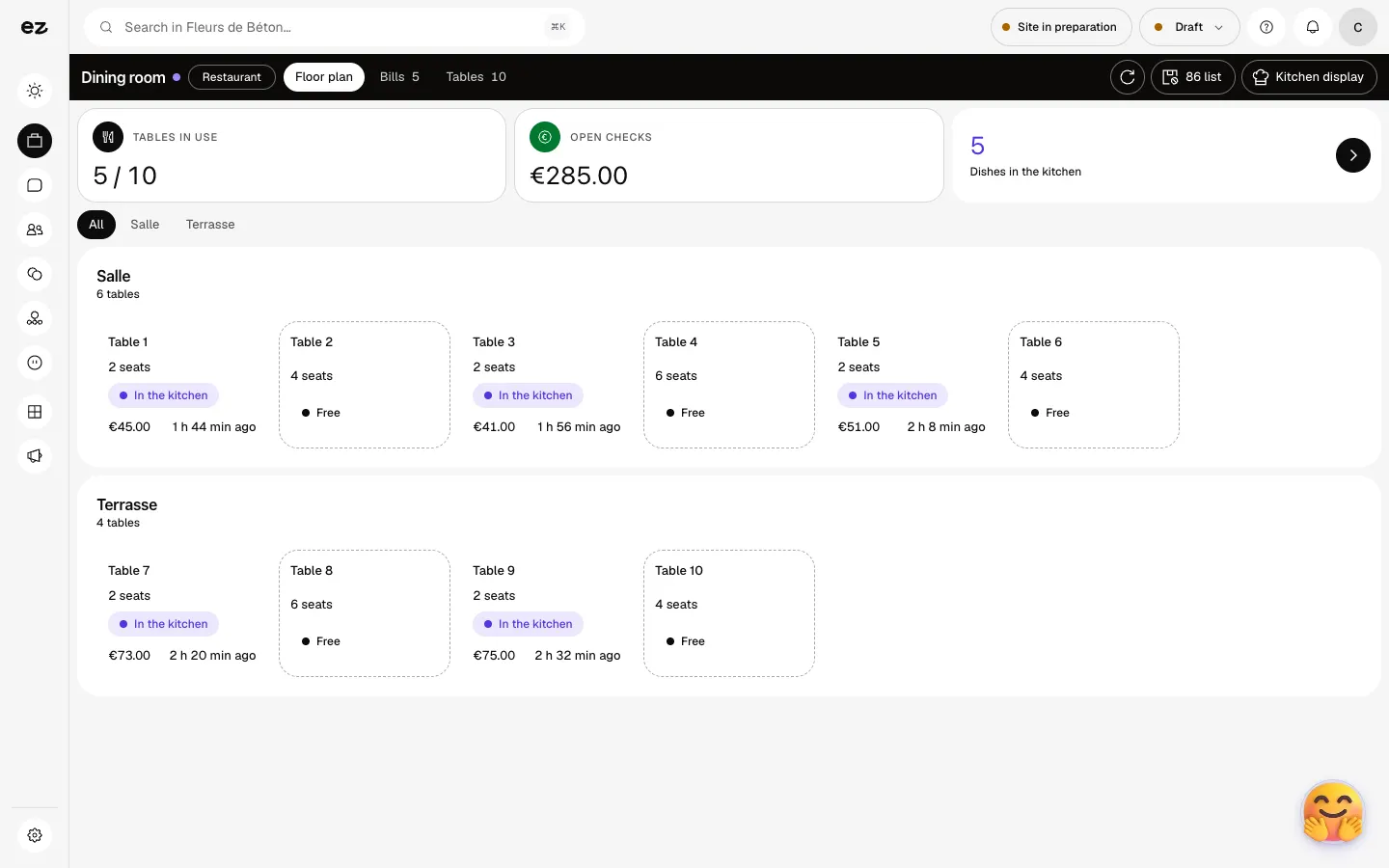
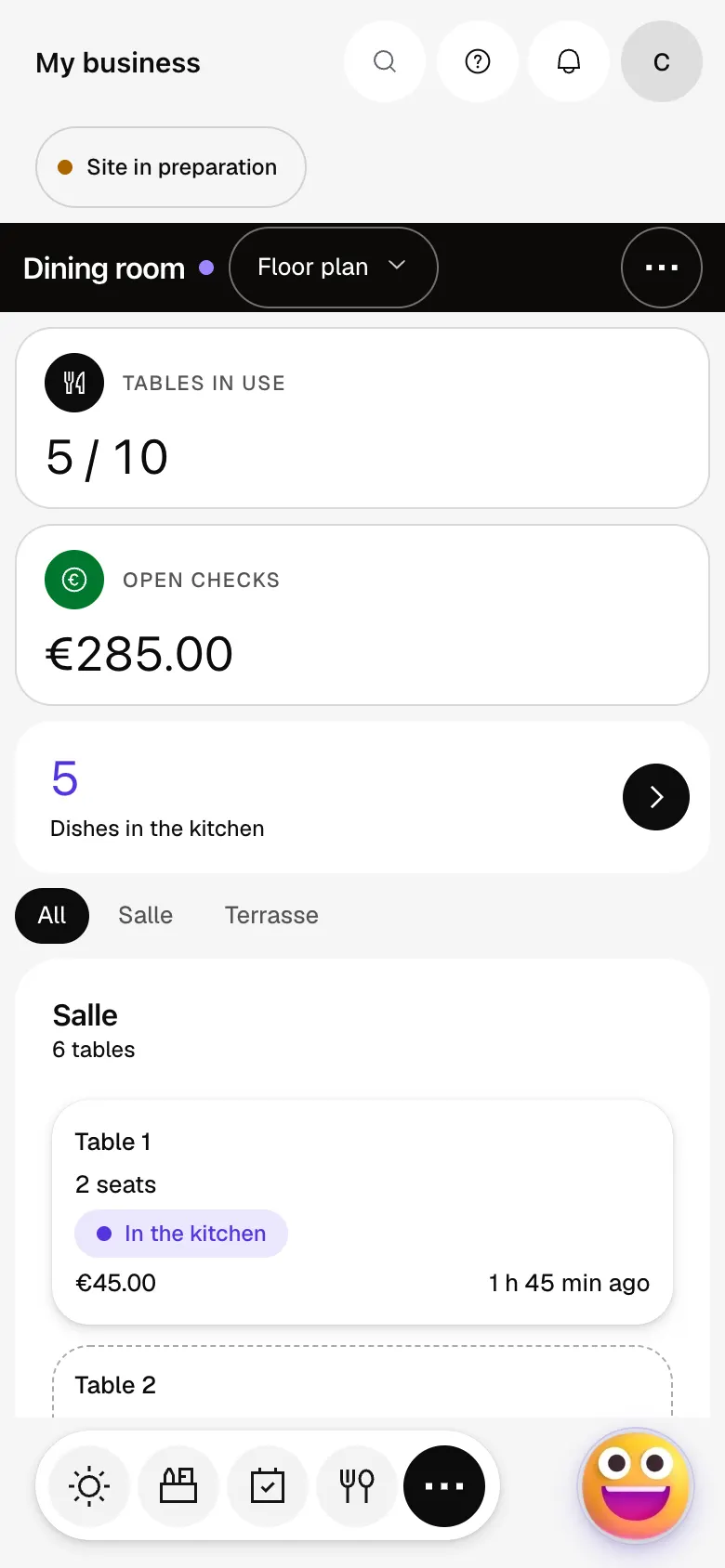
The module in one minute
Transcript
The whole room at a glance: occupied tables and what is under way. Guests scan their table’s QR code and order from their phone. Prefer to take the order yourself? Open the table and it goes to the kitchen. In the kitchen, everything lands on one screen, on an ordinary tablet. Each ticket shows which table, which dish and how long it has waited. A dish is ready? The kitchen marks it, and the floor sees it at once. At the end of the meal, the table’s bill is already done. A question? The “?” at the top of every screen opens this documentation.
Do I need the Menus module?
Yes, orders are placed on your online menu, the one your customers see: it must be published.
Does the customer pay online?
No. Their order page asks them to request the bill at the counter: payment is made on site.
Can my team take an order in the dining room?
Yes: open the table, click “Order”, then “Send to kitchen”. The “86 list” button instantly removes a sold-out dish, for the table and for the dining room.
How much does Table ordering & kitchen display cost?
This is a standard module: included in Spark’s 4 places, then at most €24 excl. VAT per month with a 12-month commitment, less as you add modules; unlimited in Boost. It does not open during the trial. It uses no credits.


