What this module is for
One inbox for your Google and Trustpilot reviews and your testimonials: reply with Ziggy’s help, request new reviews and choose which ones your website features.
Getting started, step by step
- Step 1
Turn the module on
In Eazyclick OS, open Settings then Eazyclick subscription, Available modules tab, and click “Request activation” next to Reviews & testimonials, or ask your project manager. During the trial, the list is in My plan, under “Add other modules”: a module marked “With Spark” opens when you move to Spark. Once active, the module shows up in the menu, with a “?” at the top of the screen that brings you back to this page.
- Step 2
Bring your reviews together
Open Reviews. “Connect a platform” links Trustpilot (Enterprise subscription) or, for Google, sends the request to our team through Ziggy. “Import” takes a CSV file and “Testimonial” adds a review by hand.
- Step 3
Reply to reviews
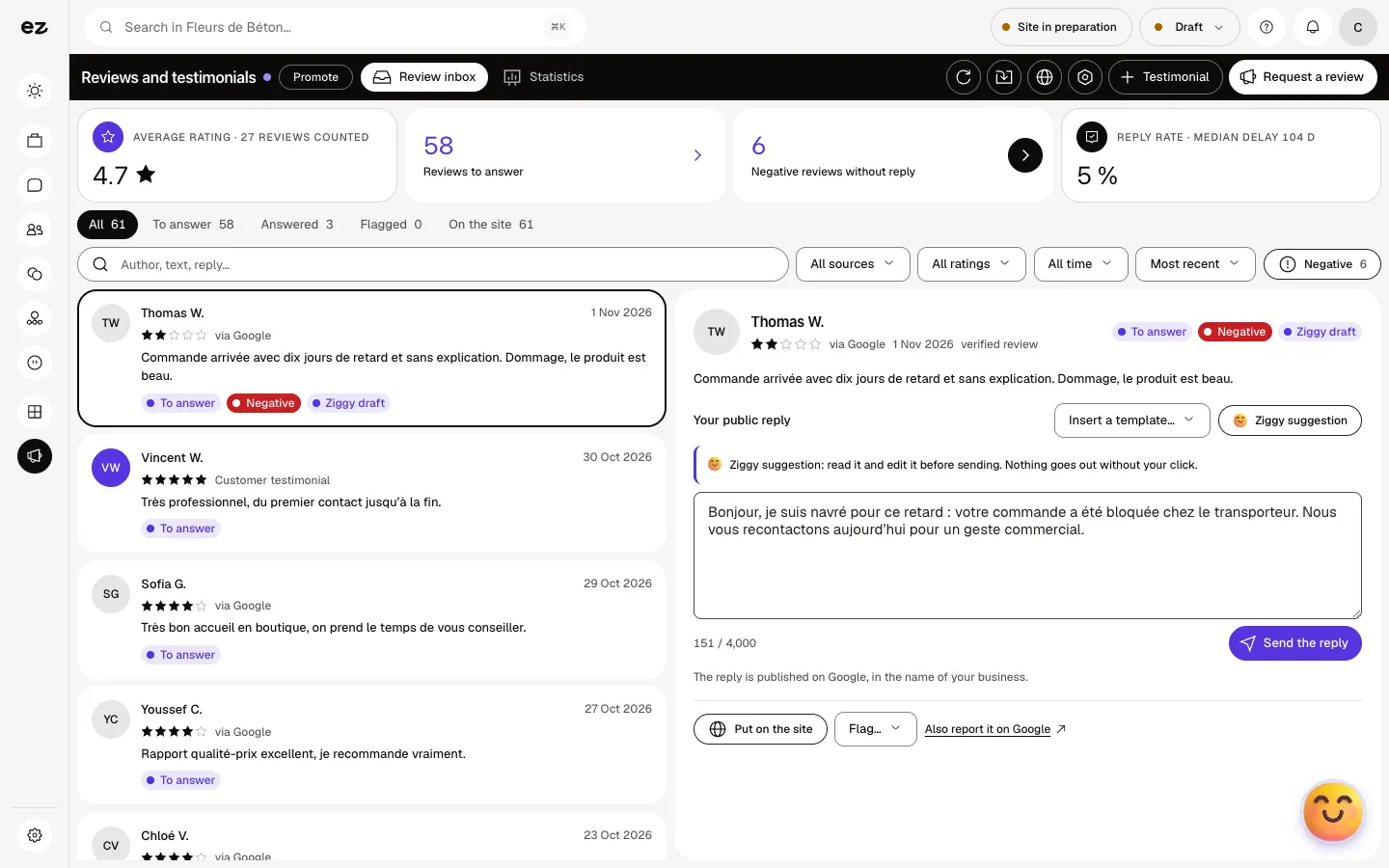
Open a review in the Review inbox. “Ziggy suggestion” prepares a text; read it, change it or insert a template, then click “Send the reply”. Nothing goes out without your click.
- Step 4
Choose what your website shows
“Put on the site” features the review in your testimonials block, “Remove from the site” takes it out. If your website doesn’t have this block yet, ask Ziggy or your project manager.
- Step 5
Request new reviews
“Request a review” offers a link, a QR code or an email leading to your review page. Save that page’s address first. A customer who has already been asked isn’t asked again for 30 days.
What it looks like
The module in one minute
Transcript
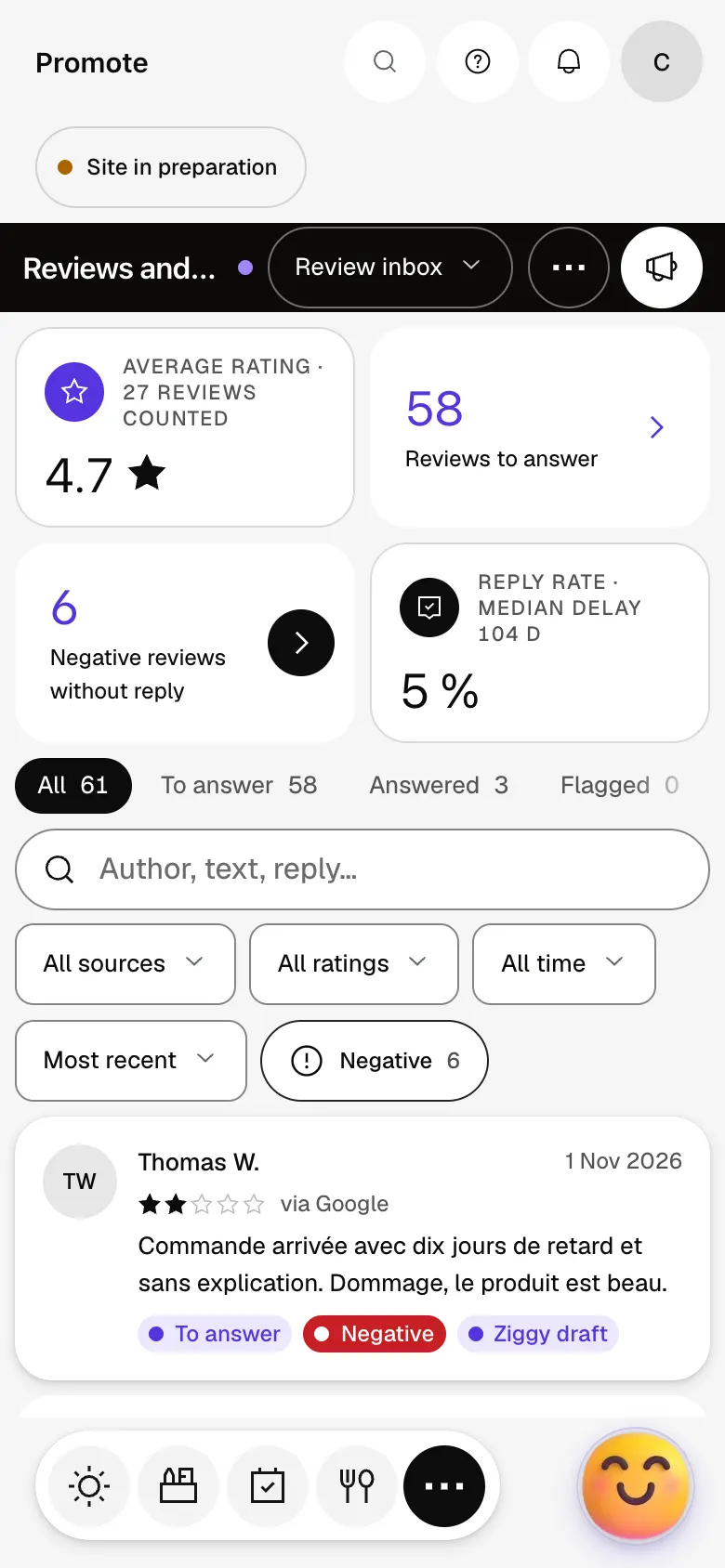
All your reviews in one inbox: the average rating, what needs handling, negatives spotted first. Open a review: the customer’s message appears alongside, with its rating and source. Ziggy drafts a reply. Read it, change it: nothing goes out without your click. With your Google listing linked, the reply is published there, in your business’s name. A great review? Put it on your site: it joins the testimonials block. Ask for a review by link, QR code or email: customers land straight on your review page. The “?” at the top of every screen opens the module’s documentation.
Do new reviews show up on their own?
Yes, once the platform is connected, reviews sync automatically. The “Sync” button starts an update right away.
Can I reply to Google reviews from this screen?
Yes, with the Local reputation module and your listing linked: the reply is published on Google, in your business’s name. Without it, you reply to your other reviews and testimonials.
Can I delete a Google review?
No, only Google can. “Remove from the site” takes it off your website, and “Flag…” marks it with a reason (fake review, abusive language…) then takes you to the report on Google.
Does Ziggy’s suggestion use credits?
No, neither the suggestion nor sending the reply uses any credits.
Is the module open during the trial?
Yes, when it’s part of your trade’s pack. Otherwise, you add it from Spark onwards.
How much does Reviews & testimonials cost?
The price of Reviews & testimonials is shown on the module page and on the Pricing page. Eazyclick subscription also shows what it adds to your subscription before you request it.


