What this module is for
One repair order per bike: bike record by frame number, parts and labour tracked, steps from drop-off to return, invoice created from the order.
Getting started, step by step
- Step 1
Turn the module on
In Eazyclick OS, open Settings then Eazyclick subscription, Available modules tab, and click “Request activation” next to Workshop, or ask your project manager. During the trial, the list is in My plan, under “Add other modules”: a module marked “With Spark” opens when you move to Spark. Once active, the module shows up in the menu, with a “?” at the top of the screen that brings you back to this page.
- Step 2
Open a repair order
In the Workshop menu, click “New order”: from an appointment, or for a bike dropped off at the counter, found by its frame number.
- Step 3
Add parts and labour
Open the order’s card: note the diagnosis, then add parts and labour, line by line. A part from stock leaves the chosen store.
- Step 4
Move the repair along
Drag the card from step to step: Received, Diagnosis, Awaiting parts, In repair, Ready, Returned. At the top, bikes that are ready but not invoiced are counted apart.
- Step 5
Invoice and return the bike
From the Ready step, “Create the invoice” makes a draft with the same lines, to review and issue from Invoices. Tell the customer: their phone number is on the order.
What it looks like
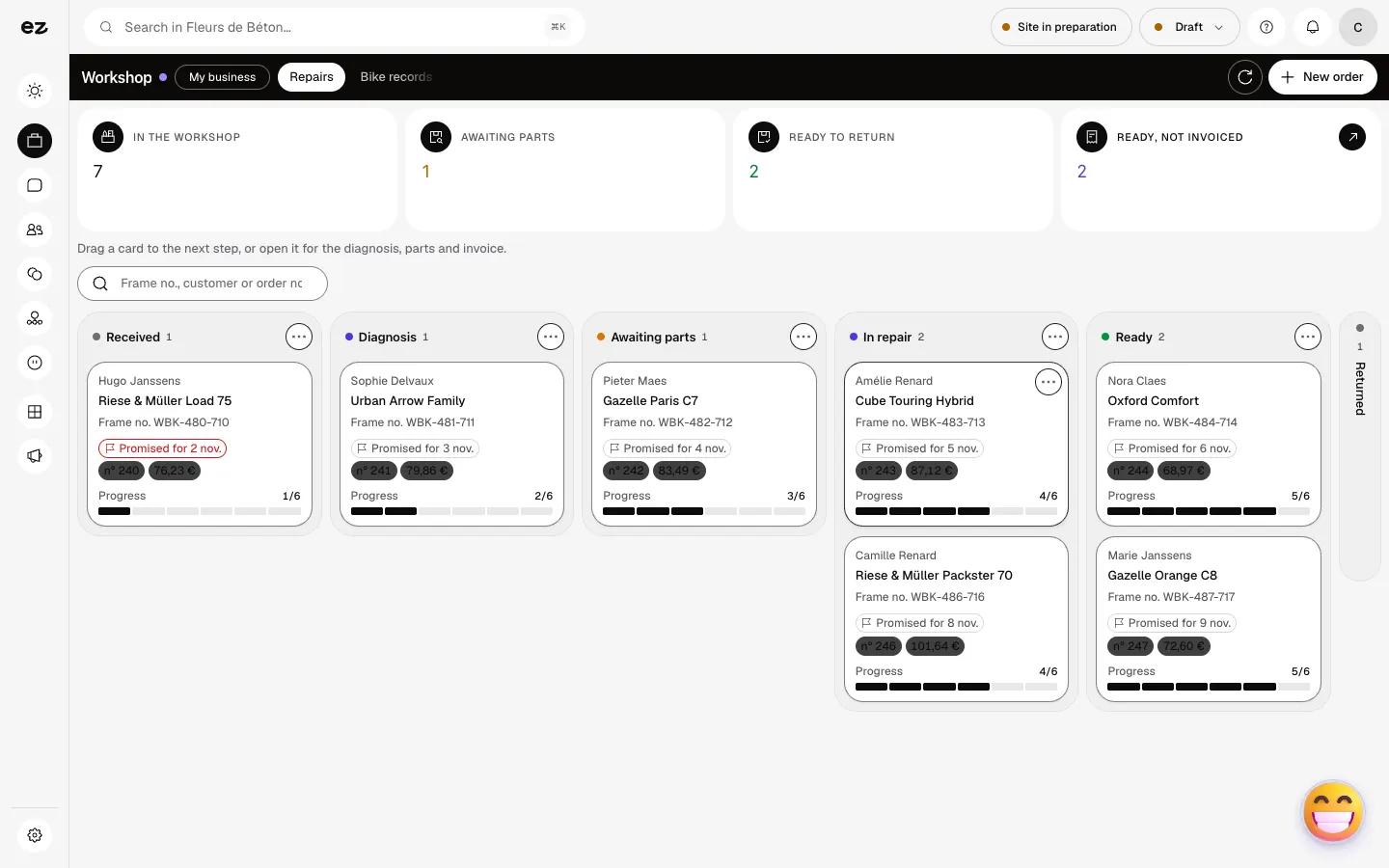
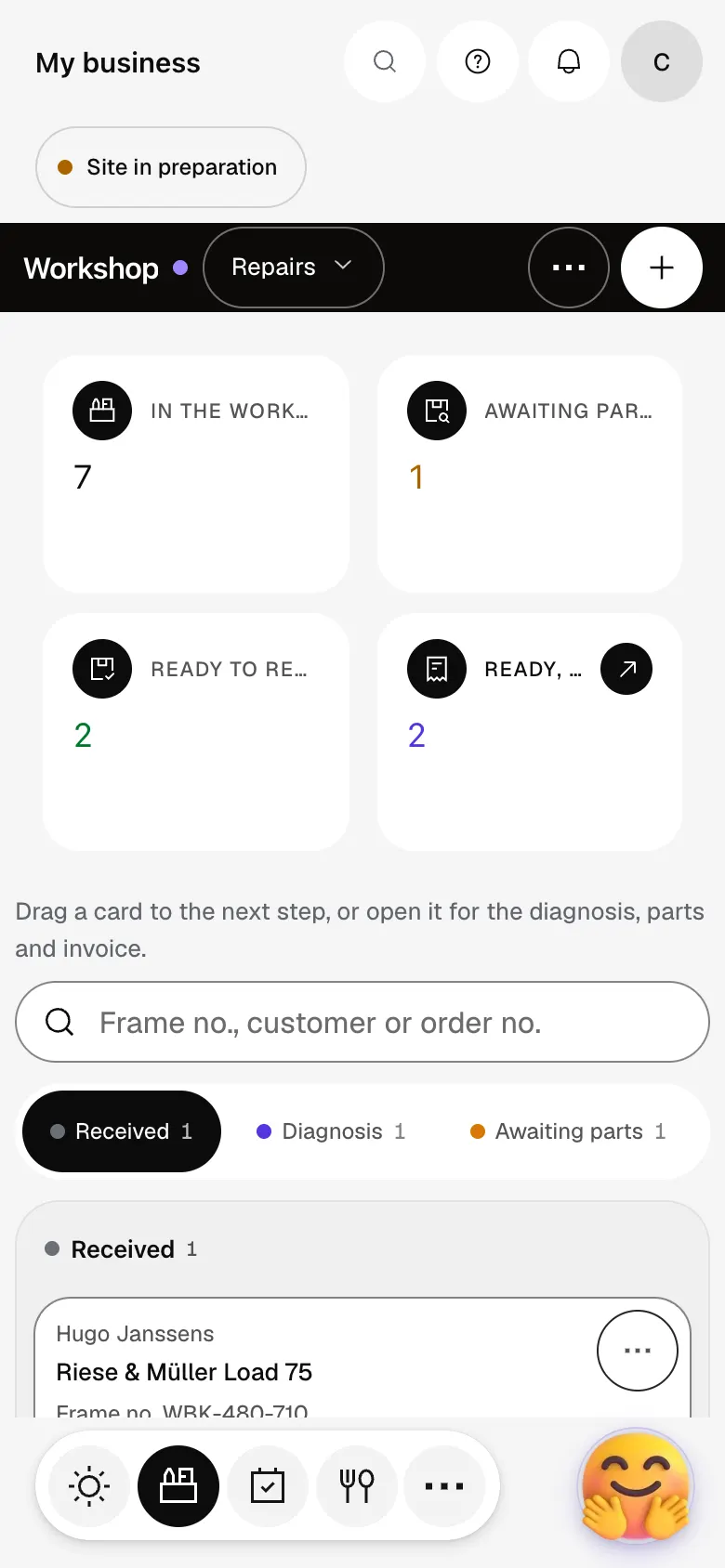
The module in one minute
Transcript
Every bike dropped off has its card: the workshop sees where each repair stands. At the top, today’s numbers: in the workshop, awaiting parts, ready to return. The card says what matters: the customer, the bike, the promised date and the amount. Drag the card to the next step, from diagnosis to the bike being returned. A bike at the counter? Open a repair order in a few words. Find an order by its frame number, the customer’s name or the order number. Nothing is forgotten: bikes that are ready but not yet invoiced are counted apart. The “?” at the top of every screen opens the module’s documentation.
Does the Workshop module work on its own?
No, it builds on Appointments, which must be active. Creating the invoice also needs Quotes & invoices.
Is the customer told when the bike is ready?
Not automatically: it is up to you to tell them. When the order moves to Returned, the satisfaction survey is sent if it is turned on in the Satisfaction module.
Can I follow several stores?
Yes for stock: each order states the store its parts come from, when your account has several.
Can I turn it on myself, or during my free trial?
No: Workshop isn’t in Available modules and can’t be added to the trial. Ask your project manager. It uses no credits itself.
How much does Workshop cost?
The price of Workshop is shown on the module page and on the Pricing page. Eazyclick subscription also shows what it adds to your subscription before you request it.


