What this module is for
Upload a meeting’s recording: its transcript, its summary and the list of things to do are prepared for you. You review them, then share them with the right people.
Getting started, step by step
- Step 1
Turn the module on
In Eazyclick OS, open Settings then Eazyclick subscription, Available modules tab, and click “Request activation” next to Meeting notes, or ask your project manager. During the trial, the list is in My plan, under “Add other modules”: a module marked “With Spark” opens when you move to Spark. Once active, the module shows up in the menu, with a “?” at the top of the screen that brings you back to this page.
- Step 2
Connect the transcription service
The module transcribes on your own Deepgram account. Open Meeting notes, Transcription tab, paste your key into “Service key” and click “Connect”. Without this key, no recording is processed.
- Step 3
Prepare the meeting
Click “Prepare a meeting”: enter its title and type and, if you like, the company, contact, project, participants and your prior notes. Everything can be changed later.
- Step 4
Upload the recording
The module does not record by itself: record the meeting with your usual tool, then click “Upload recording”. Accepted formats: webm, ogg, mp3, m4a, wav or flac, up to 120 MB and 3 hours.
- Step 5
Review and correct
The note opens on its Transcript, Summary and To do tabs. “Who is speaking?” names each voice, with no new transcription. Add or tick off commitments in To do: those picked up automatically are flagged there.
- Step 6
Share and link
Choose who sees the note: only you, your whole team or the people you pick. If the contact or company matches a CRM record, the note is linked to it.
What it looks like
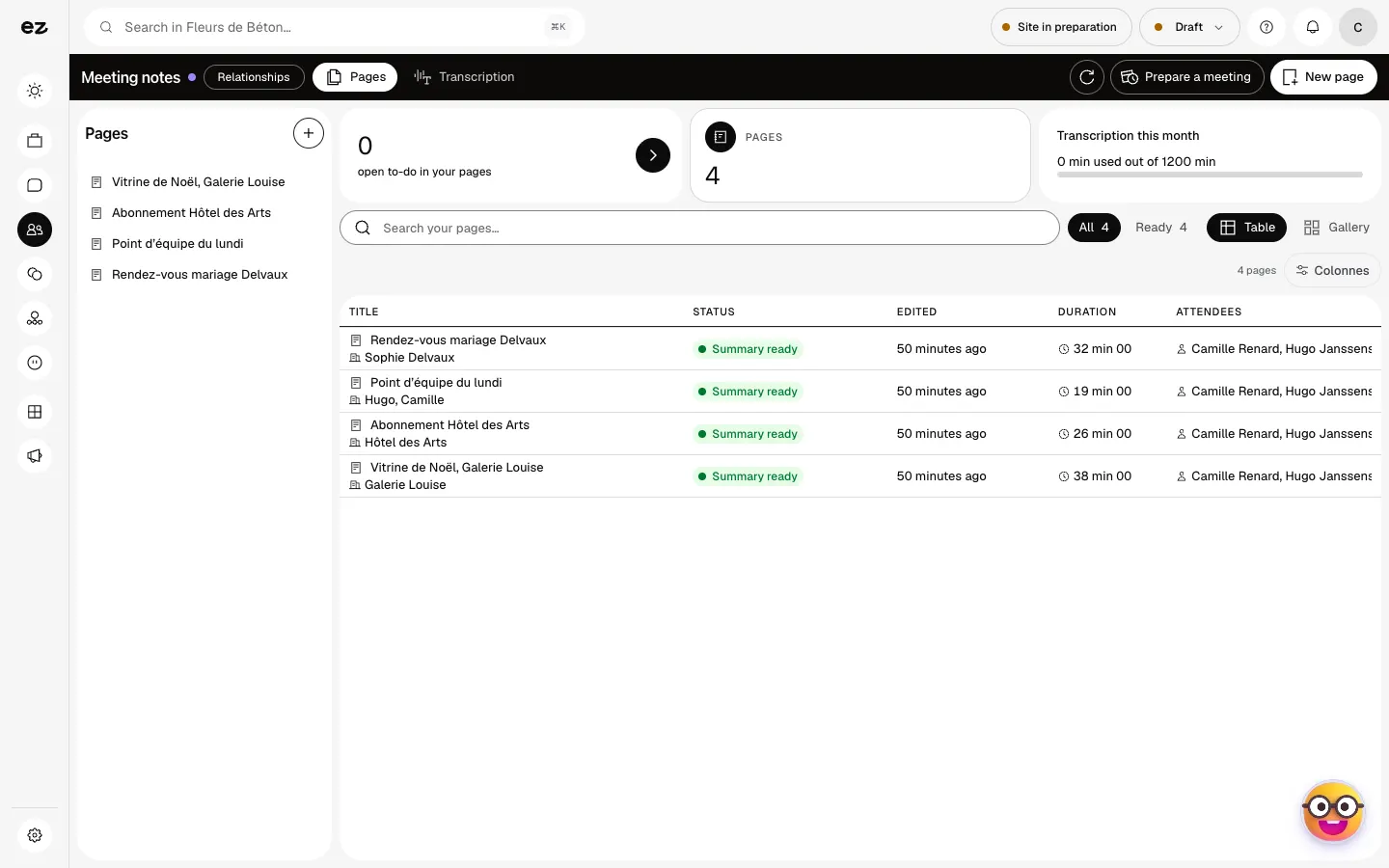
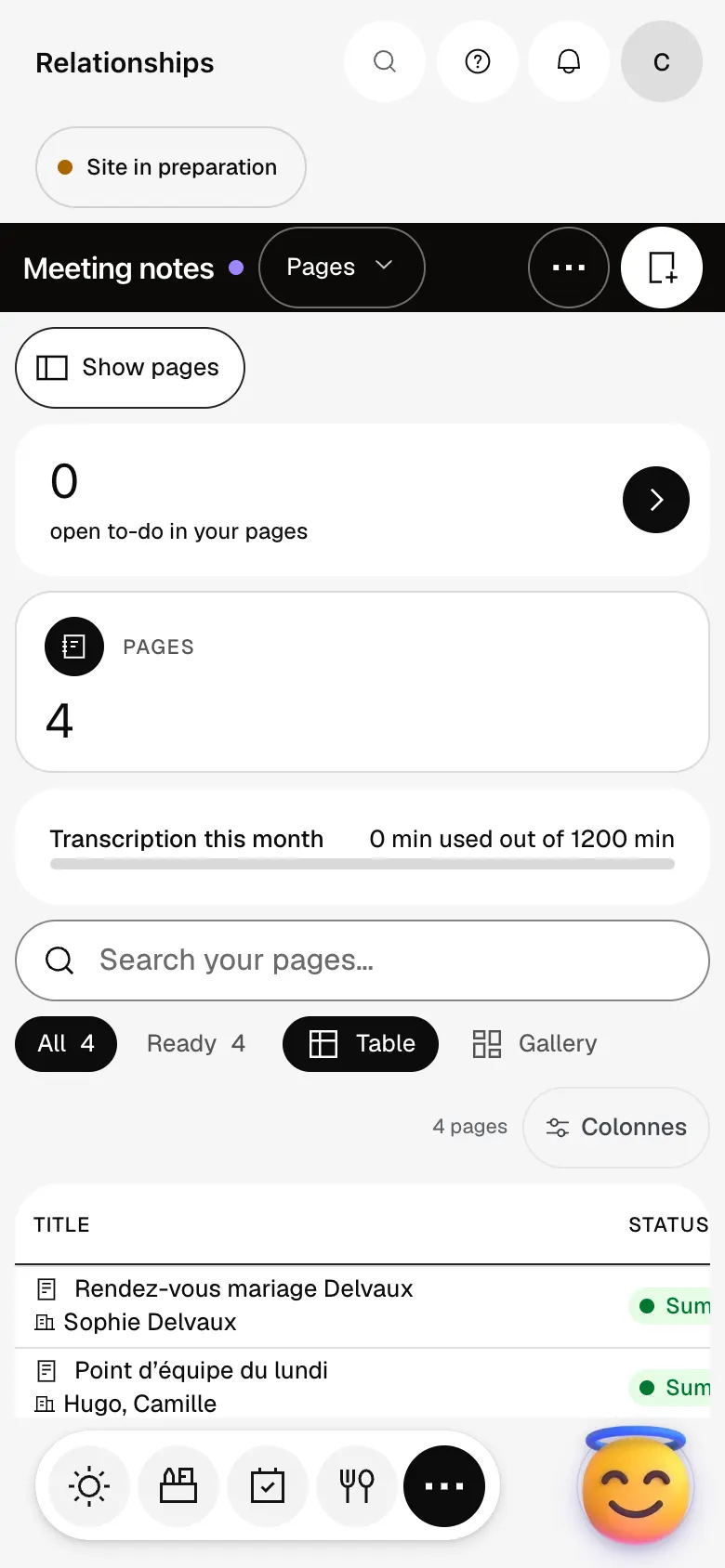
The module in one minute
Transcript
Each meeting becomes a page: its title, length, attendees and notes. Open a page: the notes are ready, with the decisions and what is left to do. Prepare the meeting before it starts: the topic, the customer and who attends. One word is enough to find a conversation, even six months later: here, Sophie’s wedding. A blank page also works for a procedure or a brief, filed in the tree on the left. Your transcription service is connected here: the recordings you upload turn into meeting notes. The “?” at the top of every screen opens the module’s documentation.
Are participants told?
No, it is up to you to tell them before recording. The recording and transcript are deleted automatically at the end of the retention period shown on the note.
Which languages are recognised?
The meeting’s language is detected automatically and shown on the note. A meeting mixing several languages is transcribed in its main language: upload separate recordings where you can.
How many credits does a summary use?
100 credits per hour of audio, based on the real duration. If the summary fails, nothing is deducted. The transcription itself is still billed by Deepgram on your account.
How much does Meeting notes cost?
It is a premium module, at €29 excl. VAT per month with a 12-month commitment. Still in beta, it does not open during the trial: it comes with Spark. On top come 100 credits per hour of audio for the summary, and the transcription billed by Deepgram on your account.


