What this module is for
Business email brings your mailbox into Eazyclick OS, over IMAP: Gmail, Google Workspace, iCloud, Yahoo, Proximus, Telenet, OVHcloud, Combell, one.com, Infomaniak and other providers. You read and reply without switching tools, with the sender’s CRM card next to the message.
Getting started, step by step
- Step 1
Turn the module on
In Eazyclick OS, open Settings then Eazyclick subscription, Available modules tab, and click “Request activation” next to Business email, or ask your project manager. During the trial, the list is in My plan, under “Add other modules”: a module marked “With Spark” opens when you move to Spark. Once active, the module shows up in the menu, with a “?” at the top of the screen that brings you back to this page.
- Step 2
Connect your mailbox with the assistant
Open Messages then Mailbox and click “Connect my mailbox”. The assistant has four steps: Service, Preparation, Connection, Test. Pick your provider: the servers are already filled in.
- Step 3
Prepare the password
Gmail, Google Workspace, iCloud and Yahoo need an app password: the assistant opens the right page at your provider. At Proximus, Telenet, OVHcloud, Combell, one.com or Infomaniak, the mailbox password is enough. Paste it and click “Test and connect”: it is encrypted and never shown again.
- Step 4
Read and reply
The mailbox shows three panes: folders, messages, reading. You reply without leaving Eazyclick, attachments included. “Smart reply” prepares a draft that you read through before sending it.
- Step 5
See the CRM card next to the message
The “Card” button shows the contact next to the message: deals, quotes, invoices, next appointment and your exchanges with them. If unknown, “Create contact” adds them to the CRM.
- Step 6
Share a mailbox
Your mailbox stays private. In “My mailboxes”, “Share” opens it to the colleagues you choose, to read or to read and reply.
What it looks like
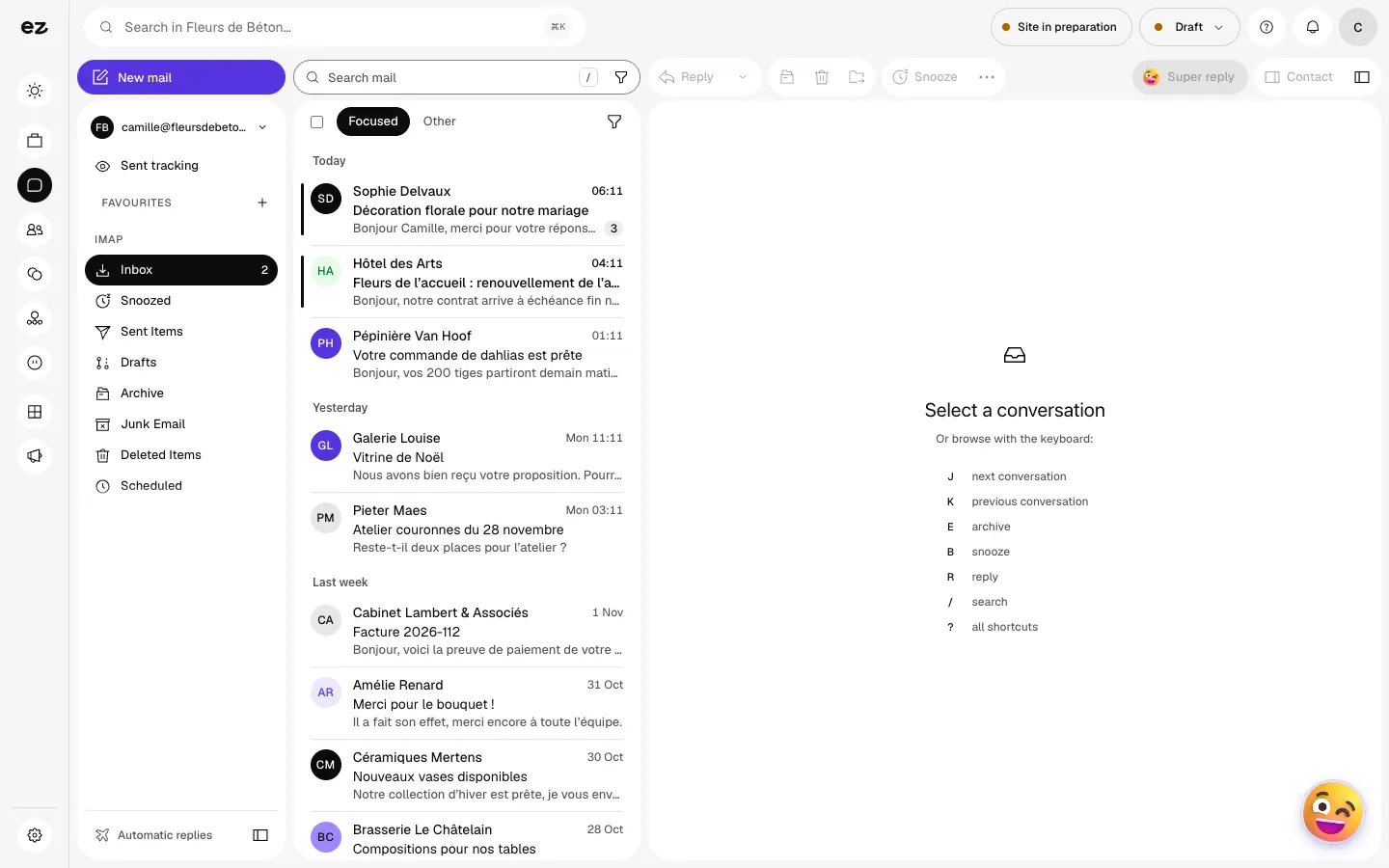
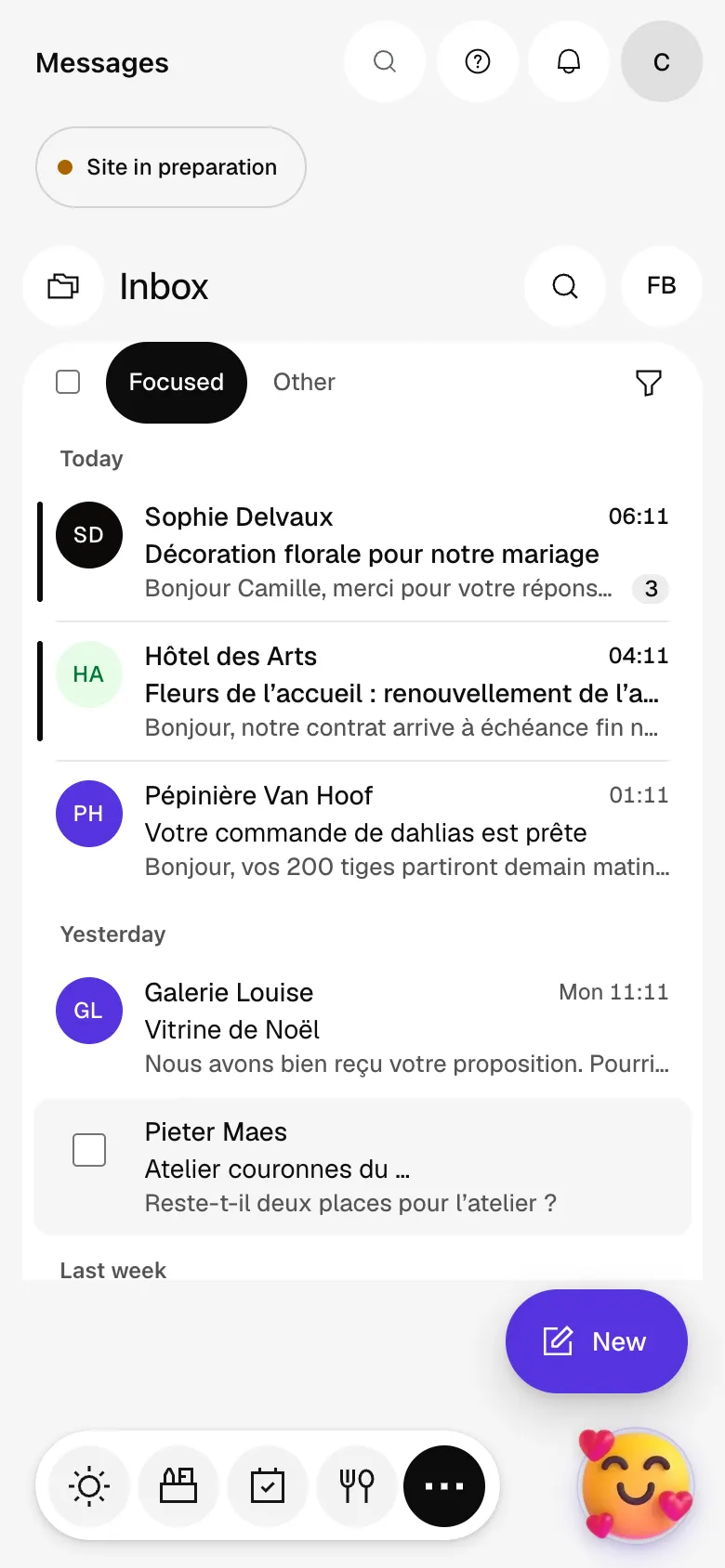
The module in one minute
Transcript
Your mailbox, tied to your customers: the message in the middle, the customer record on the right. Priority first: messages from your customers come ahead of newsletters. Open a conversation: the whole exchange reads as one, the latest message on top. No searching: this customer’s revenue, open deal and next appointment. Reply without leaving the screen, from your own address. Ziggy can draft the reply: you review it and stay in charge of sending. Send tracking shows which messages are still waiting for a reply. The “?” at the top of every screen opens the module’s documentation.
Can I connect Outlook or Microsoft 365?
Not yet. Microsoft no longer accepts passwords for IMAP, and the Microsoft connection comes in a future version. The assistant shows this service, marked “Soon”.
Do my emails stay with my provider?
Yes. Your mailbox stays with your provider; Eazyclick reads it and sends your replies through it. You can remove access at any time.
Can I connect several mailboxes?
Yes. Each team member connects their own from “My mailboxes”. A colleague only reads them if you share them.
Can Ziggy send an email for me?
No: it prepares, you send. A follow-up approved in Ziggy Ventes also opens as a draft in the Mailbox, without going out. In credits: “Summarize” costs 1 credit, “Smart reply” 2 credits, “Rework” 5 credits.
Can I try it during the 14 days?
No. During the trial, Business email stays marked “With Spark” in the list of modules. It opens with Spark, where it takes one of the module places.
How much does Business email cost?
The price of Business email is shown on the module page and on the Pricing page. Eazyclick subscription also shows what it adds to your subscription before you request it.


